Product Features Roles Security Pricing FAQ Sign In
Web + native iPhone app · Start free

Run your entire fleet-wash business from one app.

From the estimate that wins the work, to the crew checking off vehicles on site, to the branded report and invoice in your customer's inbox, to the payment in your account. One system, the whole job.

Set up your workspace in under 5 minutes. Free plan, no credit card.
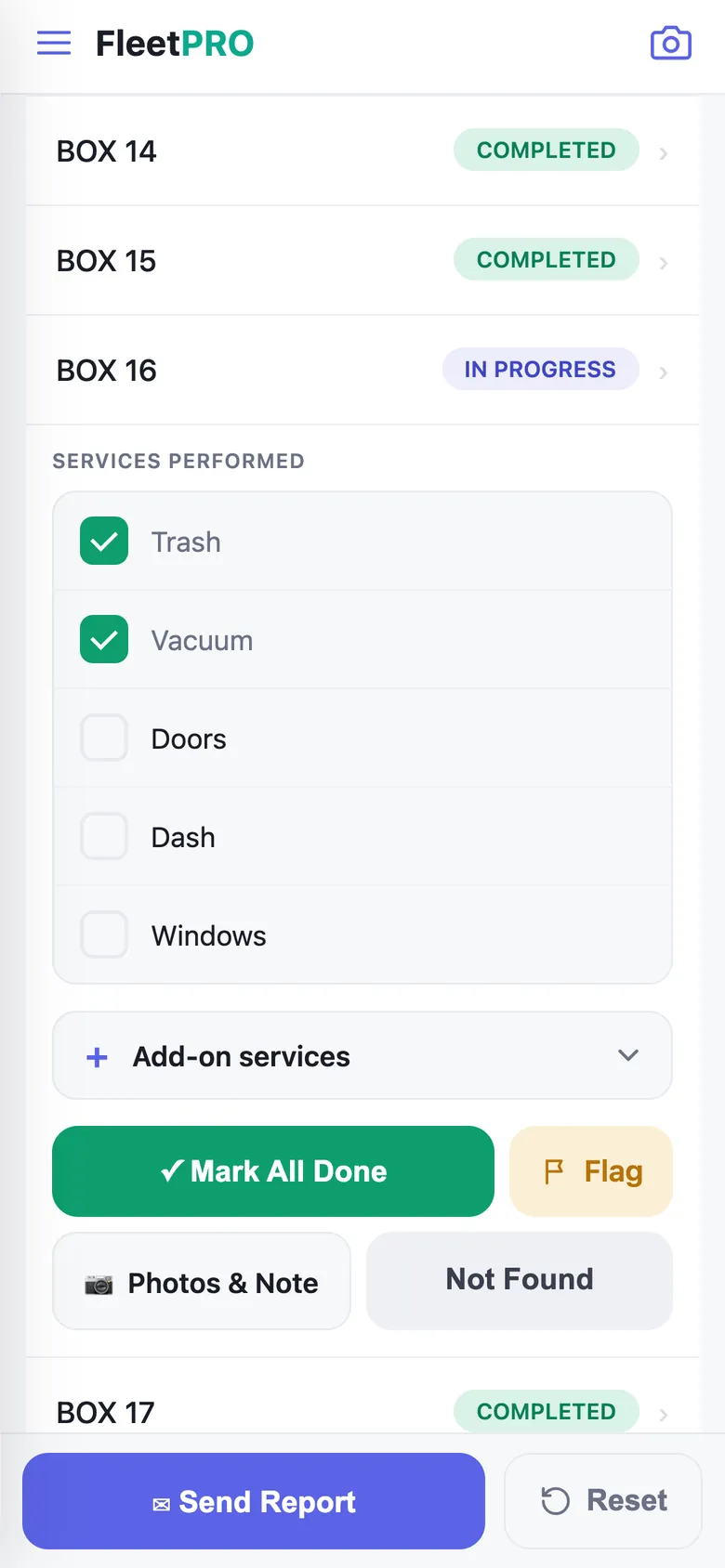
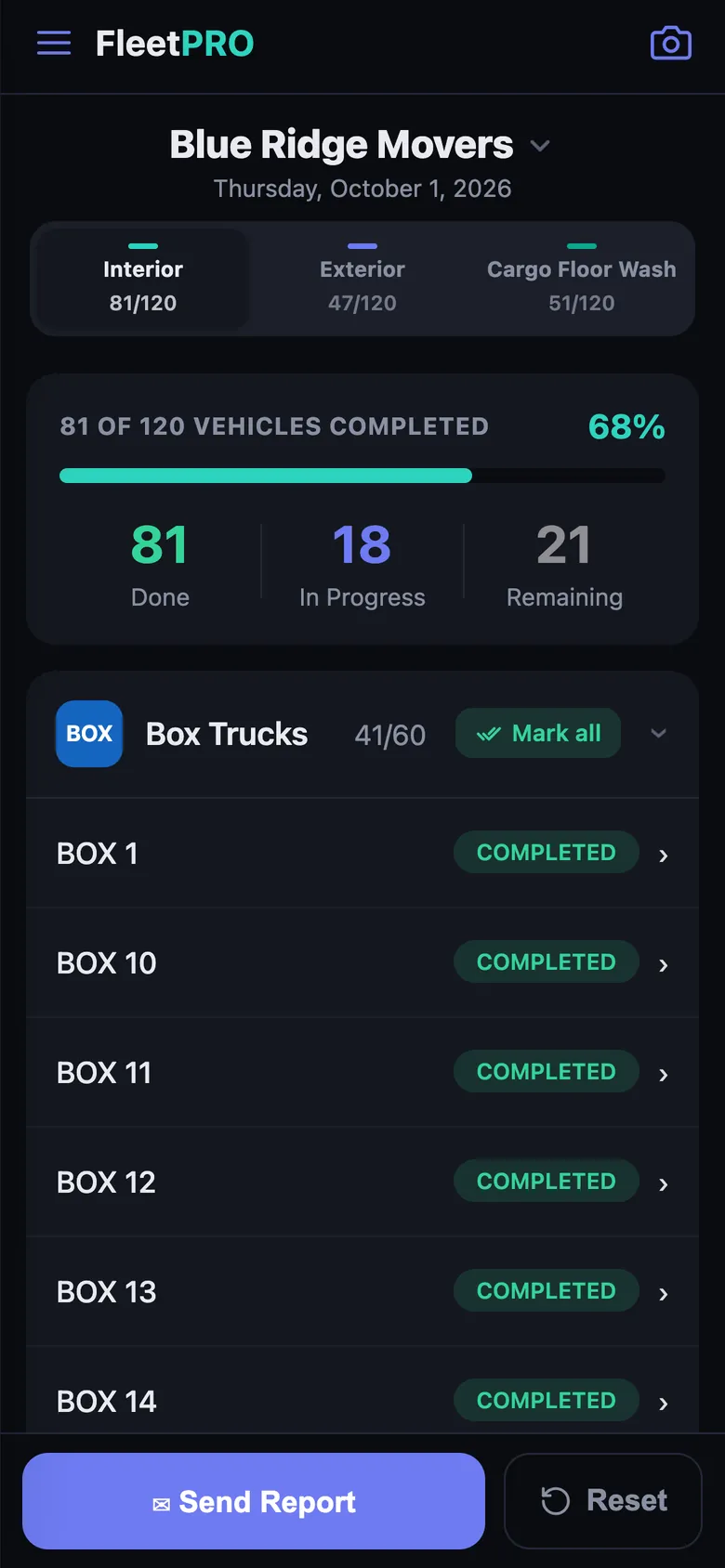
FleetPRO Work Mode — crew checklist with live completion progress
Report sent ✓Blue Ridge Movers · 120 vehicles
$1,242.75 paid + tipInvoice #153 · just now
68% of fleet doneUpdating live from the field
Unit-ID & QR scanning Live client portal Branded email reports Estimates & e-signature Card payments & tips Email & SMS marketing Geofenced timecards QuickBooks export Unit-ID & QR scanning Live client portal Branded email reports Estimates & e-signature Card payments & tips Email & SMS marketing Geofenced timecards QuickBooks export
0k+
invoiced through FleetPRO
0+
vehicles supported per fleet
0+
customers managed in one CRM
0 min
from signup to first wash day
Why switch

Still tracking washes on a spreadsheet?

Most crews run three or four disconnected tools — a quoting app, a spreadsheet for routes, a group text with the crew, and an accounting package that finds out about the job a week later.

THE OLD WAY

Paper, texts & spreadsheets

Truck #Washed?WhoNotes
Truck 101✓?J.R.think so
Truck 102skipped??
Truck 103???no photo
Truck 104✓✓M+Jbilled twice!
Truck 105page 2 lost
  • Client calls asking “did you come today?”
  • Missed trucks and double-billed washes
  • Invoices built by hand, days later
  • No proof of work when payment is disputed
WITH FLEETPRO

One live system of record

Truck #StatusCrewProof
Truck 101COMPLETEDBlake📷 2:41 PM
Truck 102COMPLETEDBlake📷 2:58 PM
Truck 103COMPLETEDMarcus📷 3:12 PM
Truck 104IN PROGRESSMarcuslive
Truck 105QUEUED
  • Every check-off timestamped, with crew name & photos
  • Clients watch progress live — the calls stop
  • Invoice auto-built from completed work in one tap
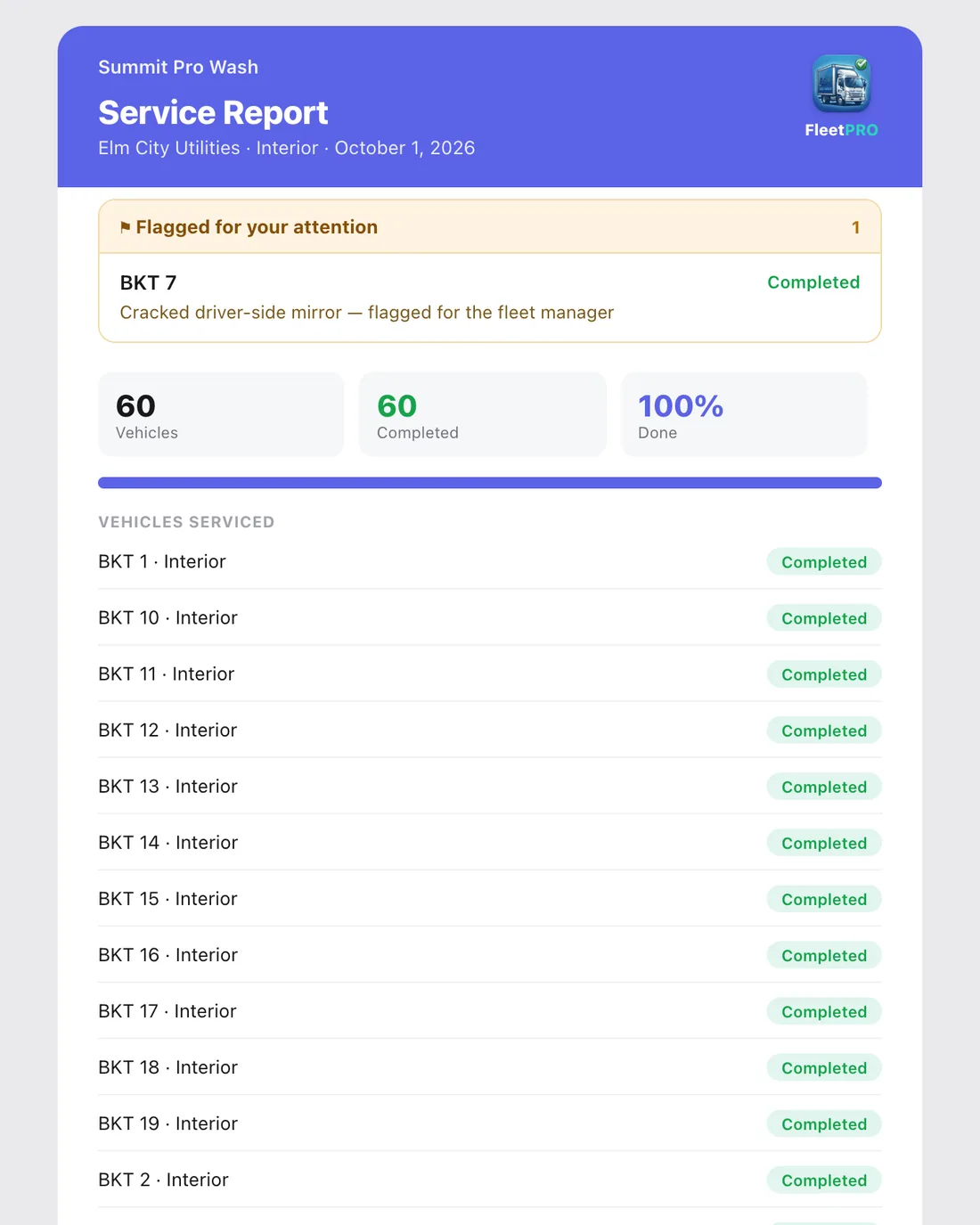
  • Branded report = permanent proof of every wash
Up and running fast

Three steps to a paperless operation

1

Set up your services & crew

Add customers and their fleets, configure services, checklists and pricing, and invite your crew by email. Bulk-import thousands of vehicles in minutes.

2

Work & scan in the field

Crews scan each truck’s unit number, work the checklist, and snap before/after photos. Progress updates live for you and your customer.

3

Report, invoice & get paid

Send a branded completion report, generate the invoice automatically from completed work, and watch it get paid online — tips included.

The real product — no mockups

From the first scan to the final invoice

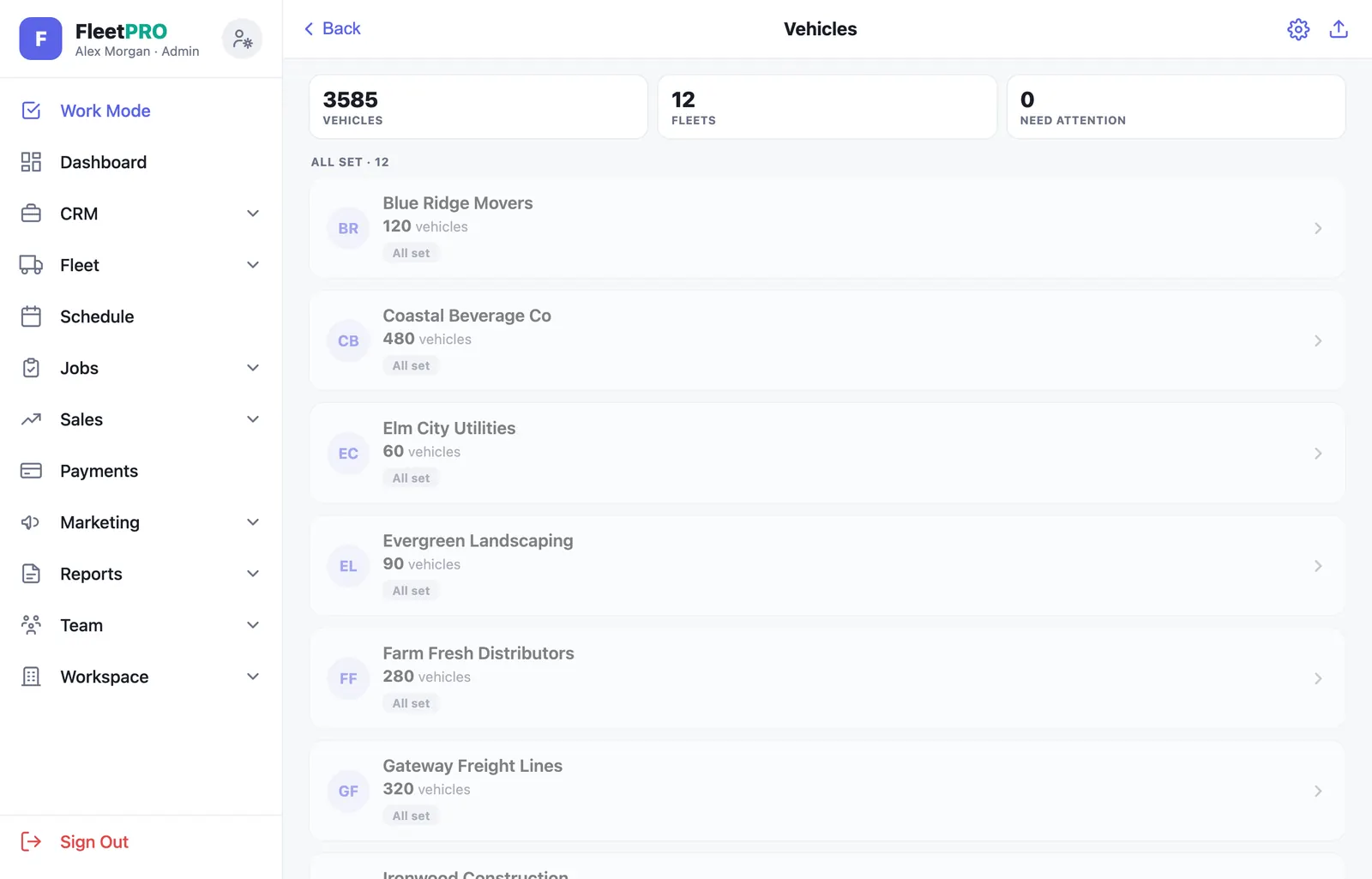
These are actual screens from FleetPRO. What your crew, your customers, and you see every day.

1Work Mode · for your crew

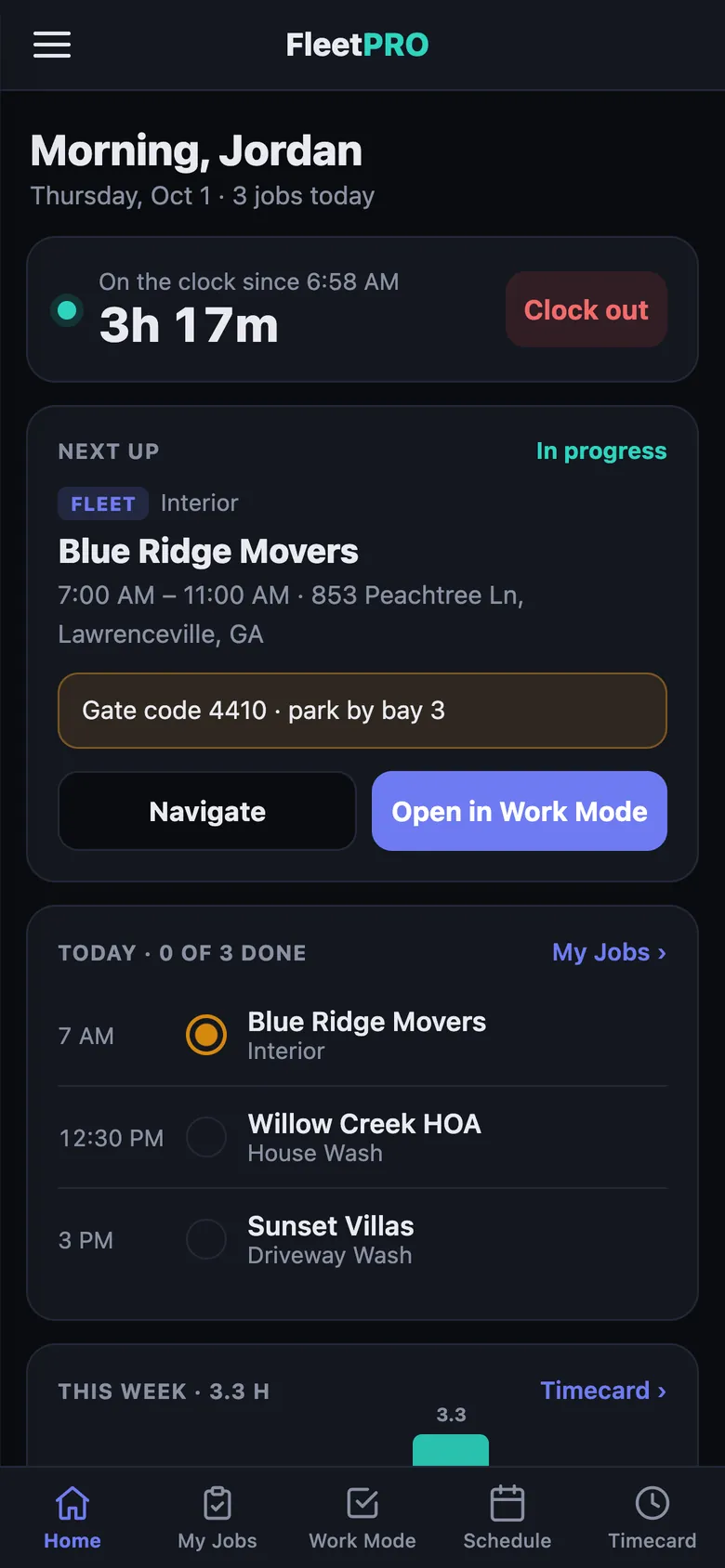
Your crew’s whole day, in their pocket.

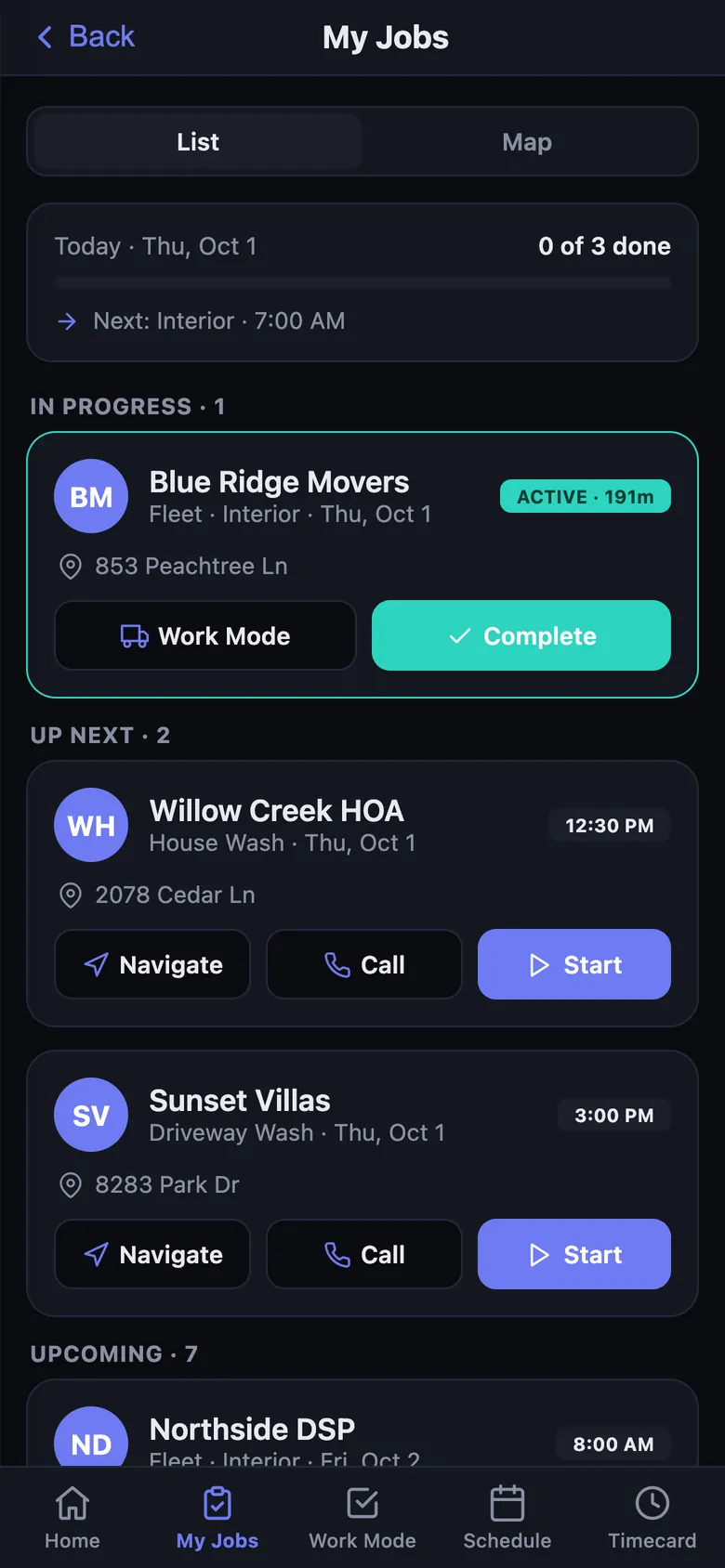
Every vehicle at the site, grouped by type with live counts. Crews scan a unit number or tap a truck, work the checklist, and mark it done — progress updates live for the whole team.

  • Point the camera at a unit number or QR tag — it jumps straight to that vehicle
  • Unlimited custom services & checklists — every vehicle tracks each one independently
  • Before/after photo composer and notes attached to every vehicle
  • Add-on services the crew ticks per vehicle carry straight onto the invoice
Deep-dive Work Mode
Work Mode — vehicle checklist with completion progress
2Schedule · for your routes

Fleet routes and one-off jobs, one calendar.

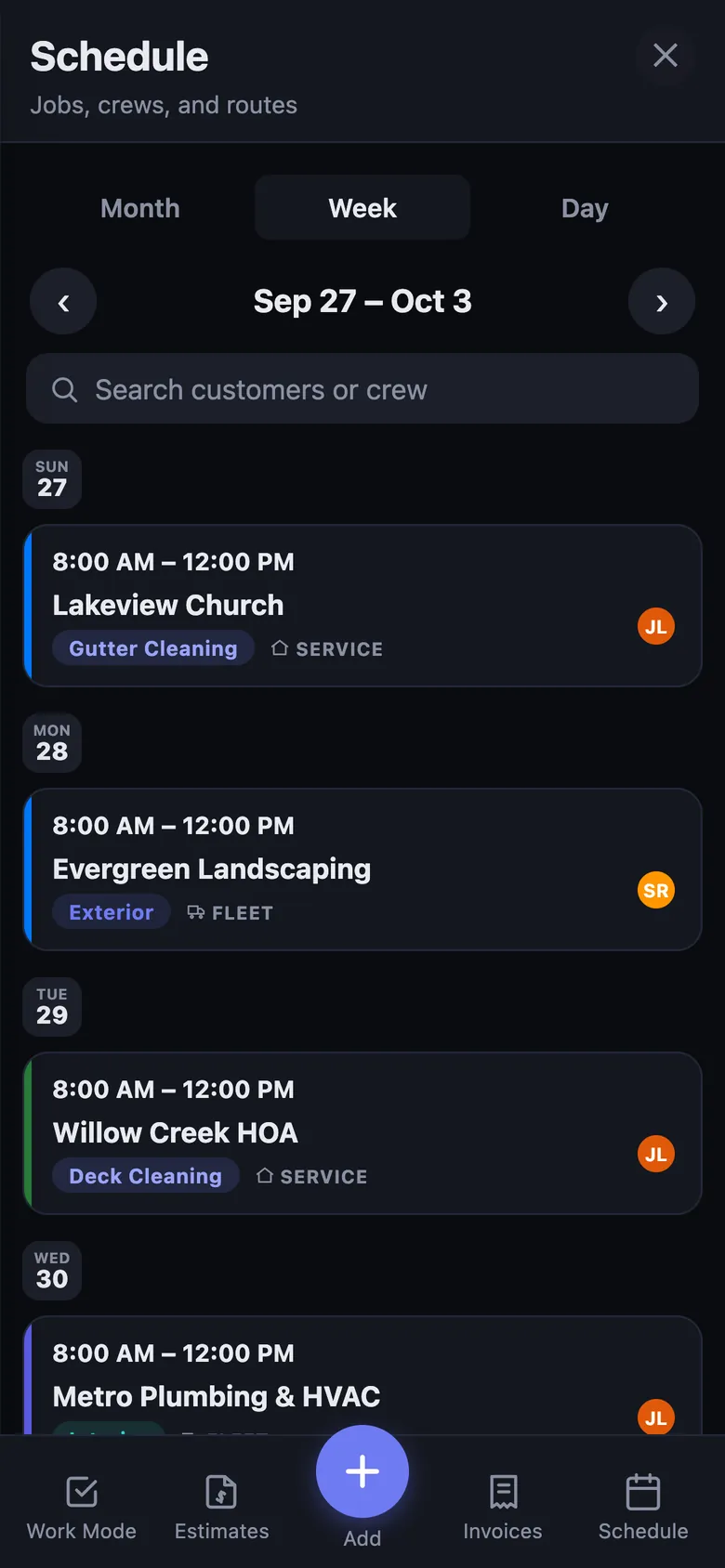
Month, week, and day views built for a phone screen. Every job card shows its service, crew avatars, and whether it’s a fleet route or a service call — with recurring visits projected automatically.

  • Tap a job for the full picture — shift times, address with directions, access notes
  • Book a job straight from an accepted estimate — it links back automatically
  • Crew calendars auto-filter to their own assigned jobs — read-only
  • Customer requests land in an inbox and push straight to your phone
Deep-dive Scheduling
FleetPRO schedule — month view with color-coded jobs
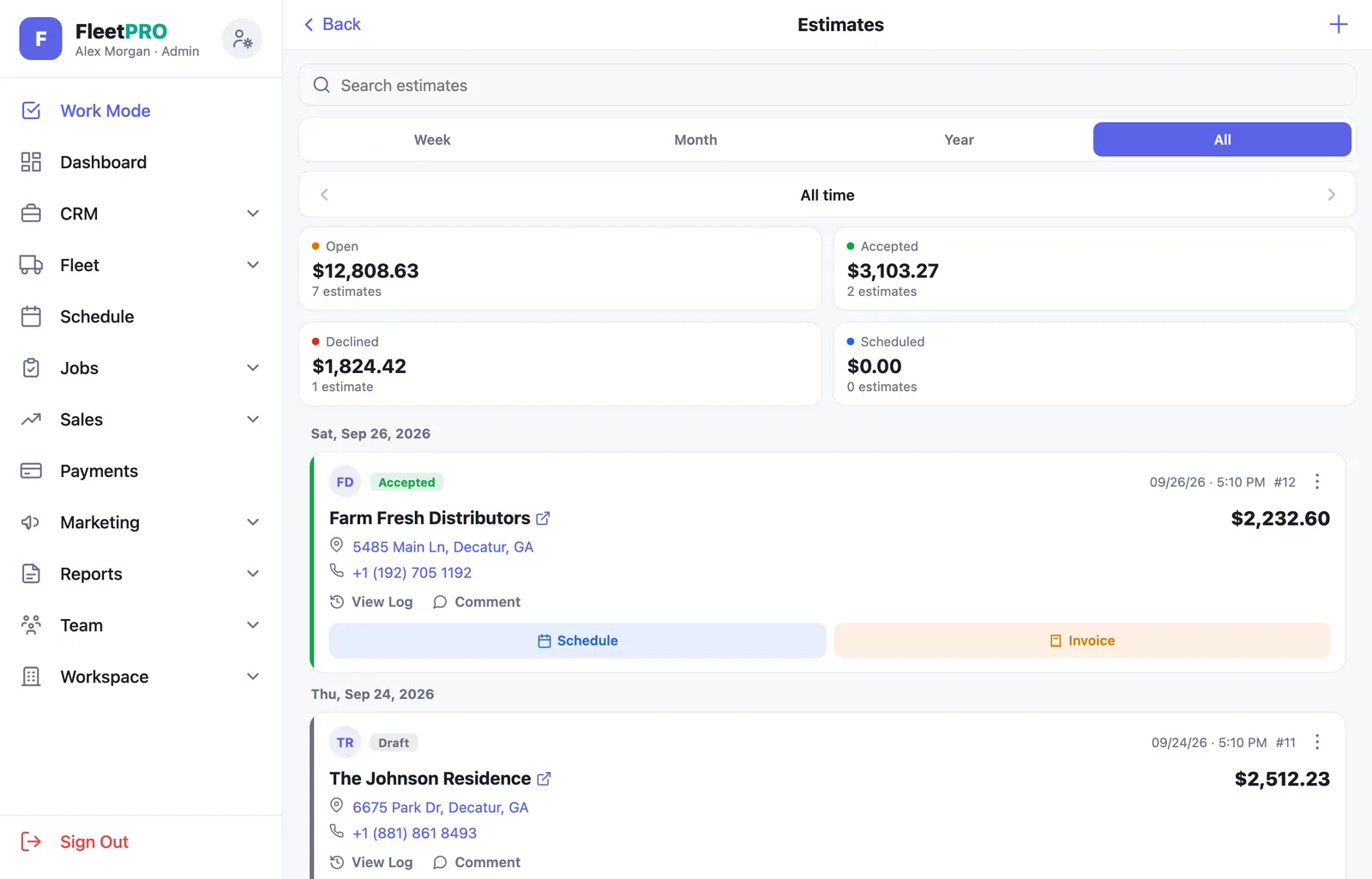
3Estimates · for winning work

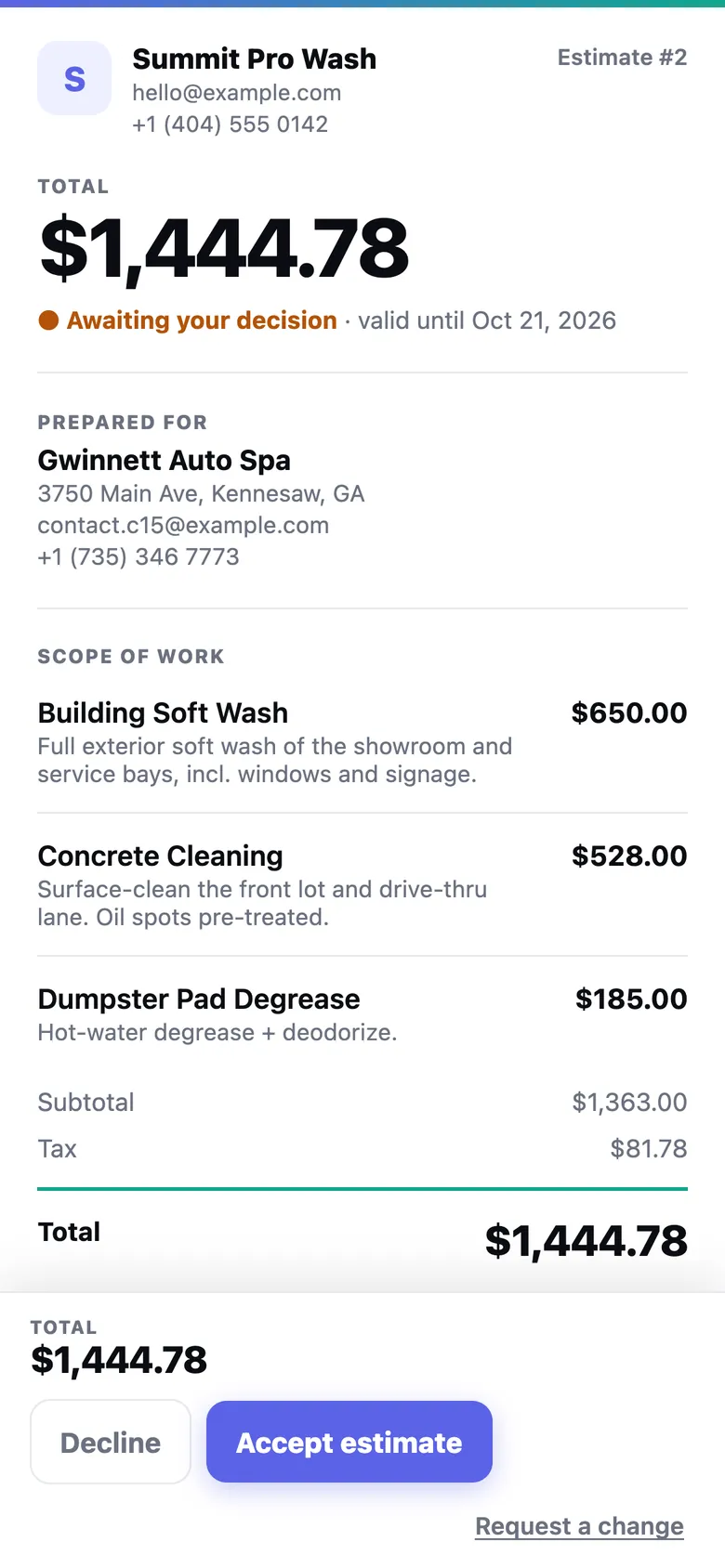
Send a quote as a link. They sign on their phone.

A clean, branded document page — not a PDF attachment. The customer sees the scope, your terms, and the agreement, then accepts with a real e-signature. You know the moment they open it.

  • Accept requires a drawn or typed signature — snapshot, hash, IP, and timestamp recorded
  • Attach a service agreement from your reusable folder
  • Draft → Sent → Viewed → Accepted pipeline with tappable metric cards
  • Convert to an invoice in one tap — the totals reconcile exactly
Deep-dive Estimates
Public estimate link — branded quote with Accept and Decline
4Invoices & Payments · for your cash flow

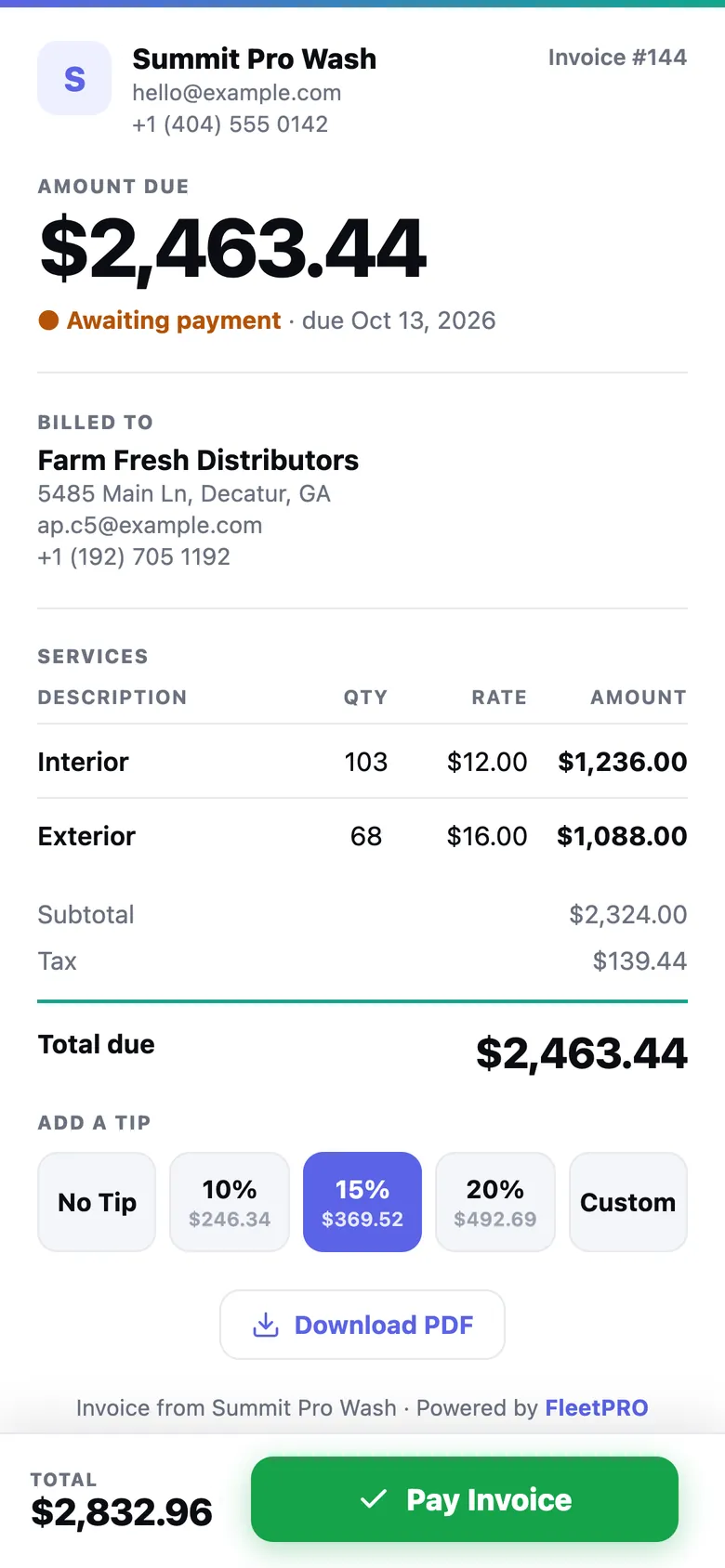
The invoice writes itself. Then it gets paid — with tips.

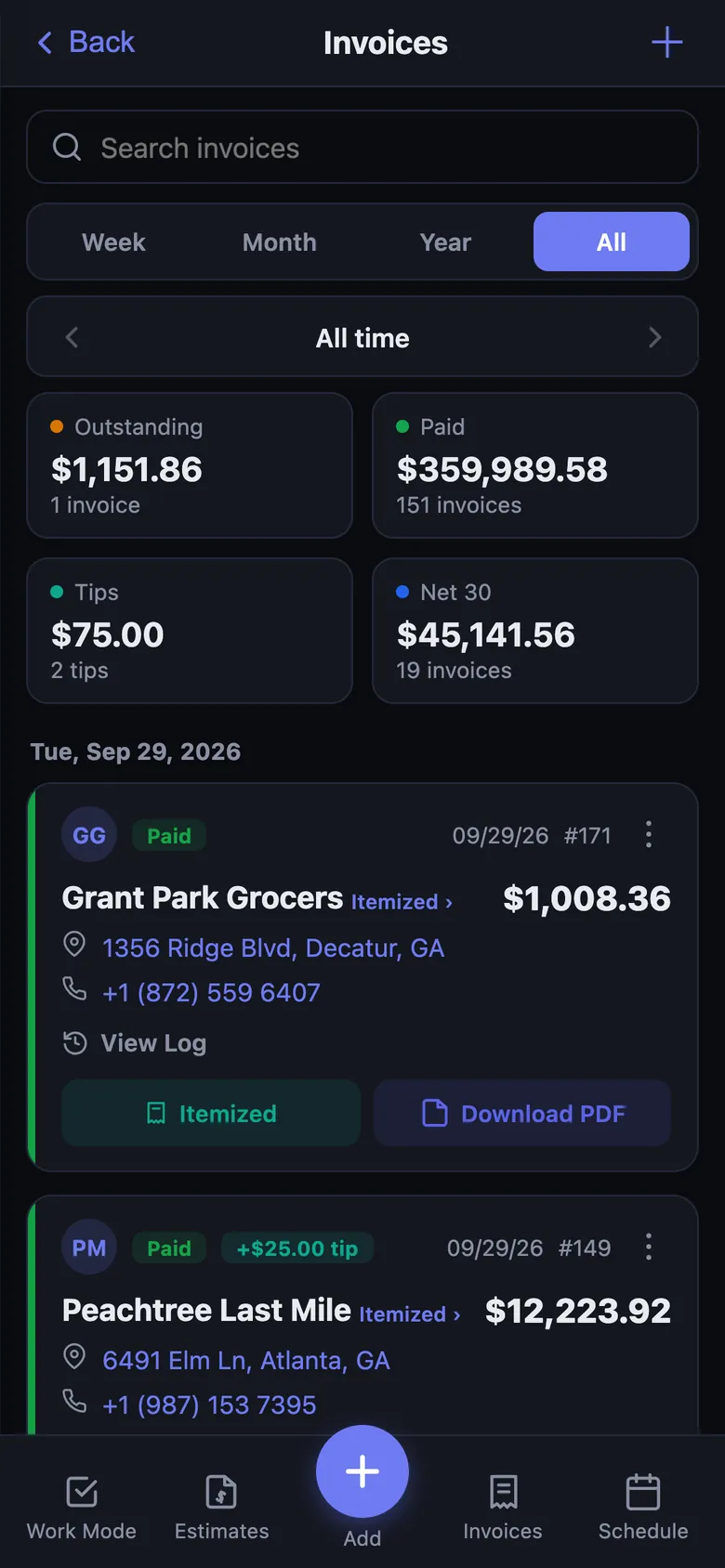
FleetPRO counts the vehicles your crew actually completed, prices each by its vehicle-group rate, adds the add-ons they ticked, and hands you a finished itemized invoice with a hosted payment page.

  • Public payment links with built-in tip prompts — tips are 100% yours
  • Card on file & auto-pay, or one-tap approval per invoice
  • Invoices mark themselves paid the moment the payment clears
  • Paid-only incremental QuickBooks export that reconciles to the penny
Deep-dive Invoicing & Payments
Hosted payable invoice page with tip selector and Pay button
5Customer Portal · for your customers

Customers watch their fleet get cleaned — live.

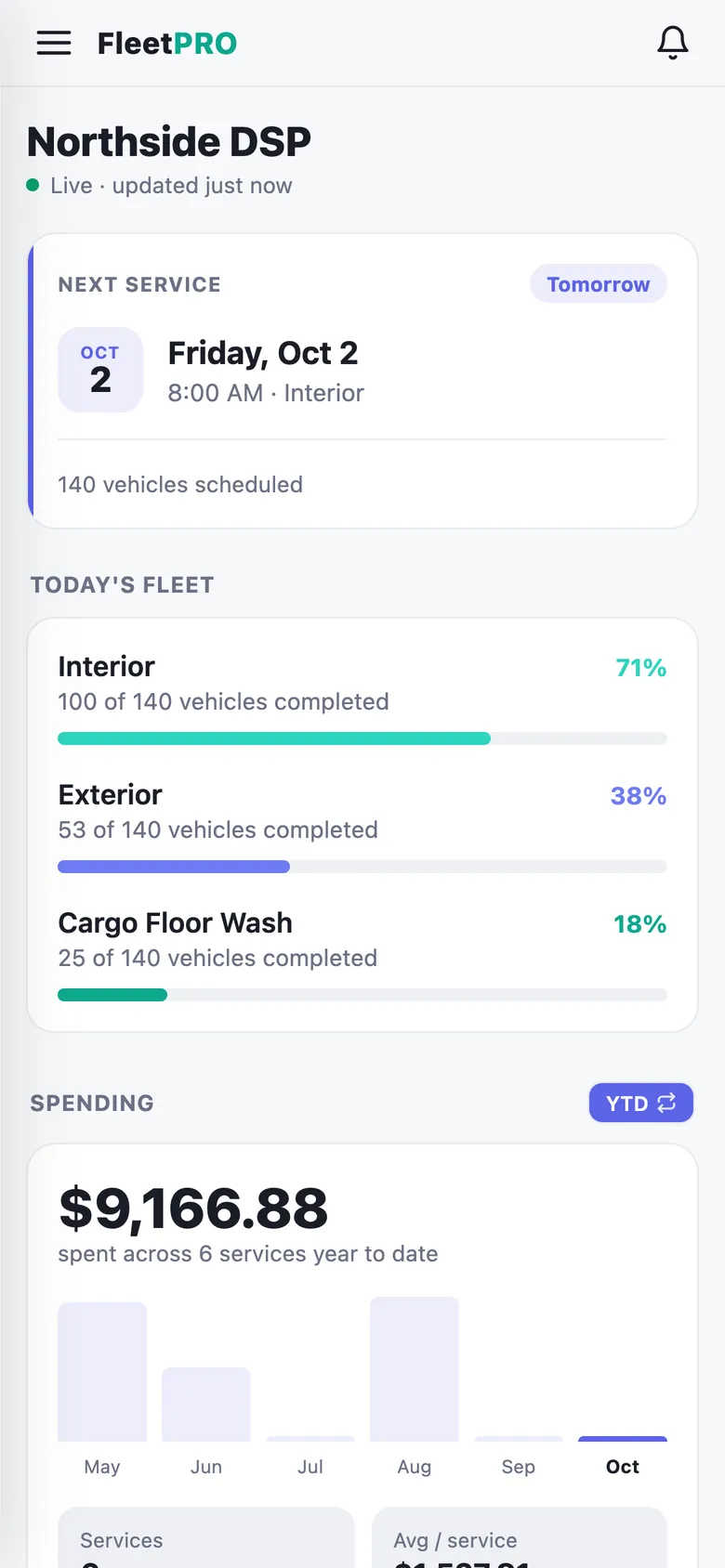
Every customer gets their own login: next-service countdown, live per-service progress, service photos, spending history, and every invoice one tap from paid. Most vendors send a text saying “done.” You send a portal.

  • Live progress bars per service — no more “did you come today?” calls
  • Per-vehicle history — VIN, last service, photos, and a full timeline
  • Urgent requests and questions routed straight to your inbox
  • Documents awaiting signature, right where they already are
Deep-dive the Portal
Customer portal — live fleet progress and spending
6Notifications · for staying ahead

When something happens, your phone knows in seconds.

Instant push — not on a timer. An estimate gets viewed, an invoice gets paid, a customer leaves a tip, a crew member clocks in, an urgent request lands. Every alert is a toggle, for you and for your customers.

  • Sales alerts: estimate viewed / accepted / declined, invoice viewed / paid, tips
  • Crew alerts: reports ready for review, clock-ins, missed shifts, flagged photos
  • Customer alerts: service scheduled, fleet ready, invoice due, payment receipt
  • A notification center with an unread badge that taps through to the fix
Deep-dive Notifications
Notification center — reports, requests, and overdue invoices
The office side

Run the whole business from one dashboard

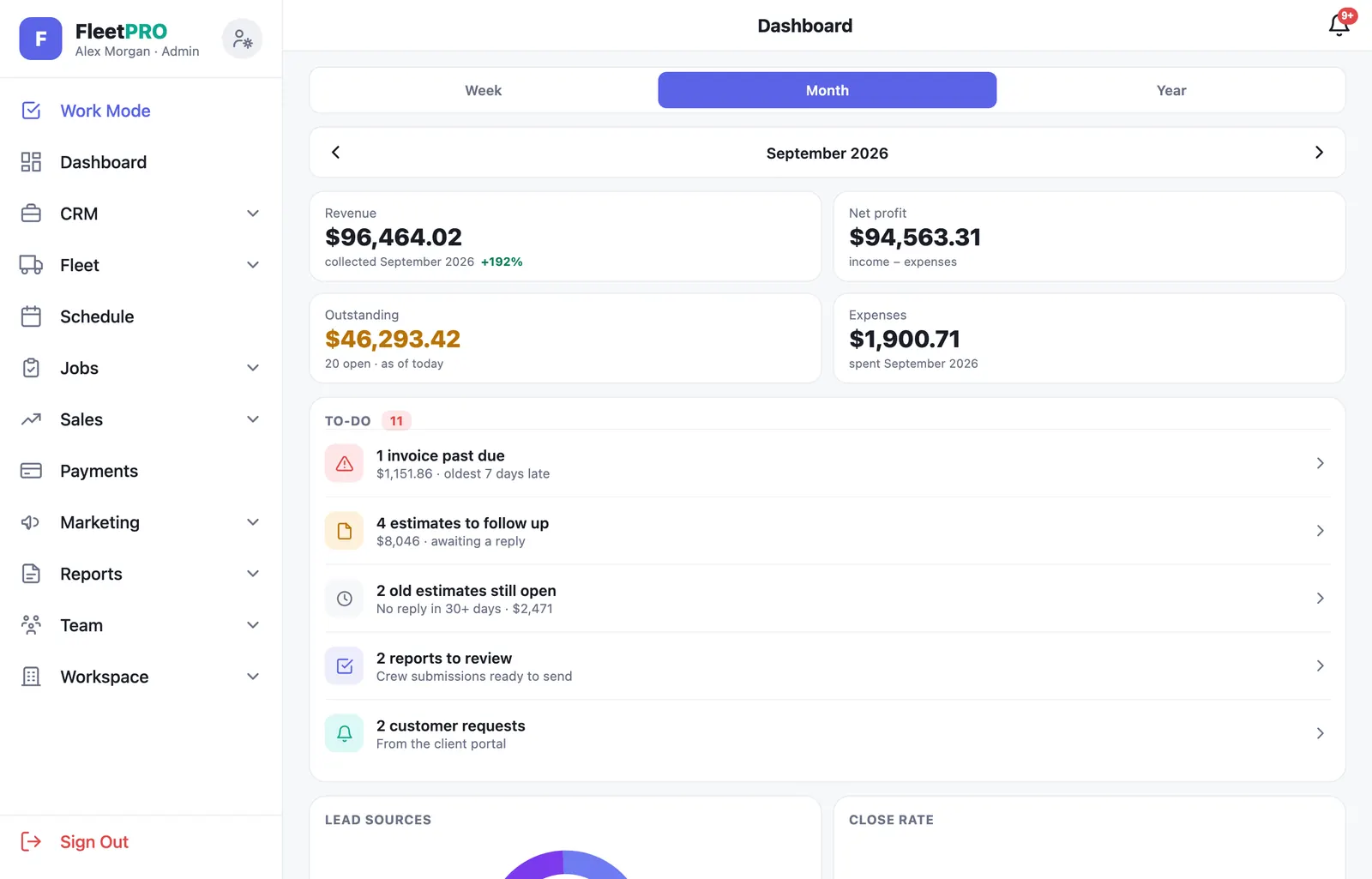
Everything an owner touches — money, customers, sales, marketing, reports, and the team — in one place. Click through the real screens.

usefleetpro.app — Dashboard
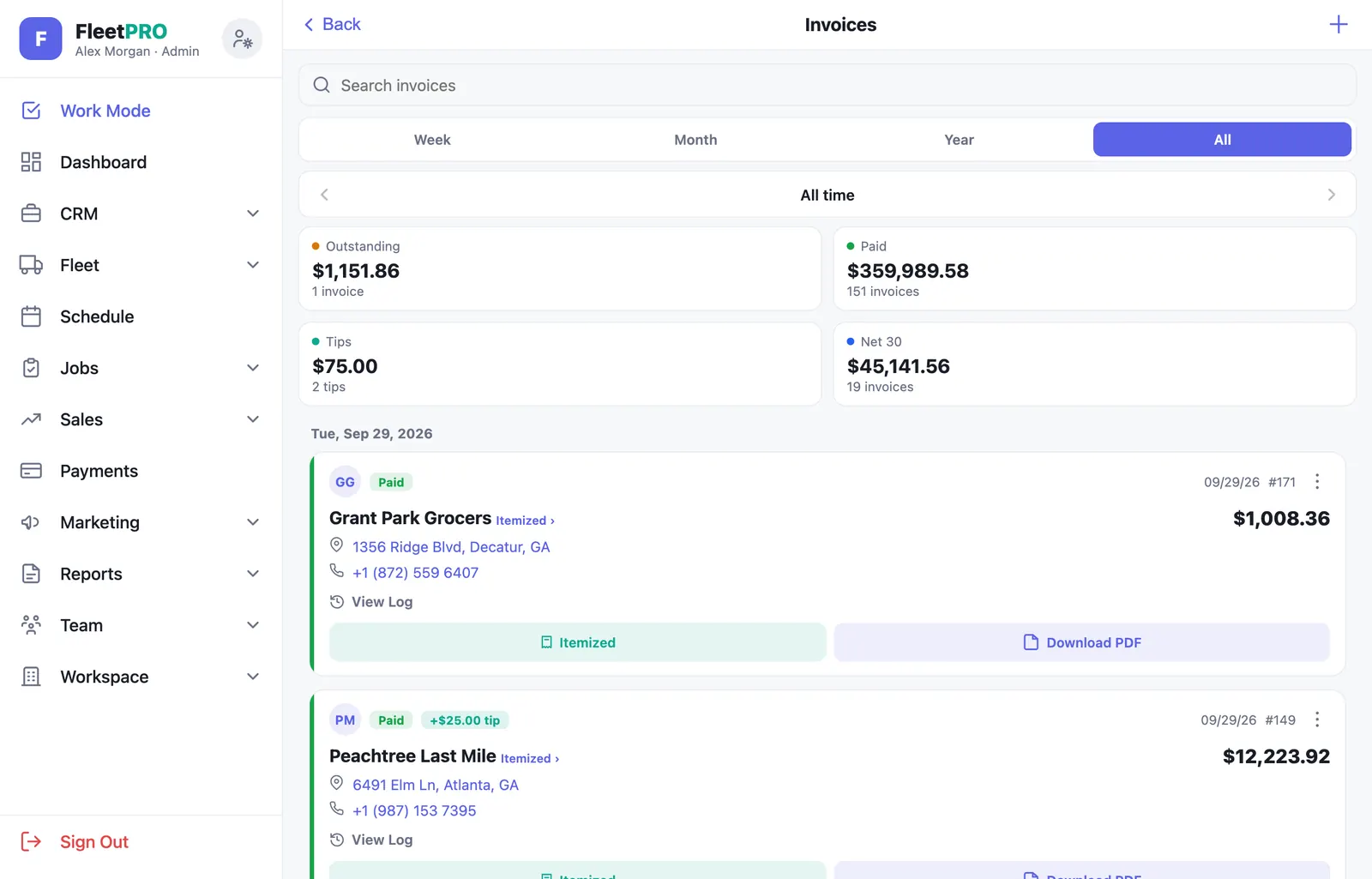
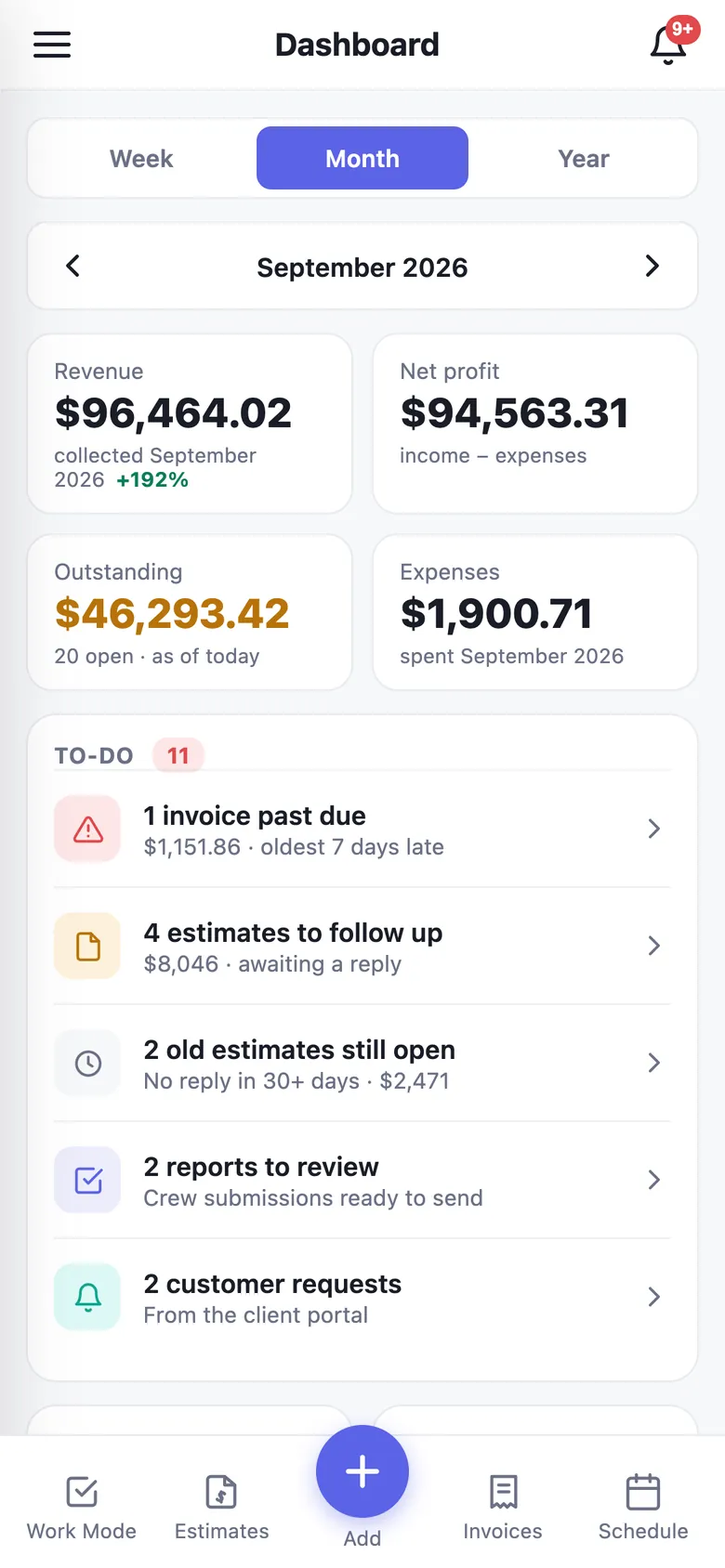
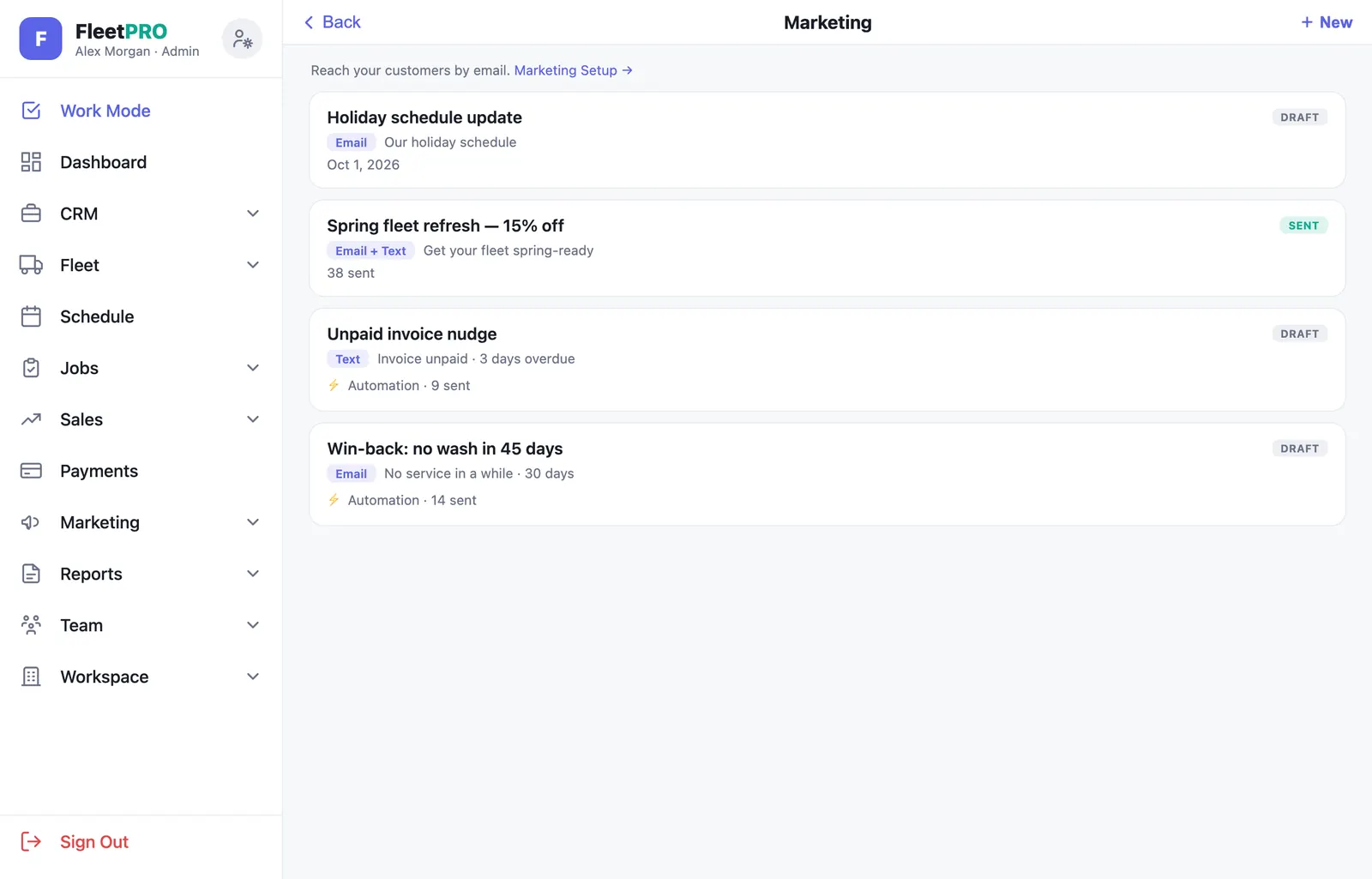
FleetPRO dashboard — revenue, profit, to-do, and lead-source analytics Customers CRM — search, tags, quick actions Estimates pipeline — open, accepted, declined, scheduled Invoices — outstanding, paid, and tips Marketing — new campaign composer with audience and merge tags Report Studio — branded completion report templates Price Book — services and packages with unit pricing Fleet Services — custom checklists per service

Your numbers without the spreadsheet

Revenue, net profit, outstanding receivables, and expenses with period navigation — plus lead sources, close rate, a live to-do list, and one-tap QuickBooks export.

Role-based access control

Three logins. Three completely different apps.

Admins, crew, and customers each get exactly the view their job needs — and the separation is enforced by the database, not by hiding buttons.

Owners & Admins

The full business

Everything, everywhere: money, customers, sales, schedule, marketing, team, and settings.

  • Dashboard & analytics, expenses, receivables
  • Estimates, invoices, payments & payouts
  • Pricing, marketing campaigns & automations
  • Crew roster, timecards, report review & sending
Admins control the doors: crew and customers can’t sign themselves up — every login is invited by an admin.
Crew in the field

A focused field app

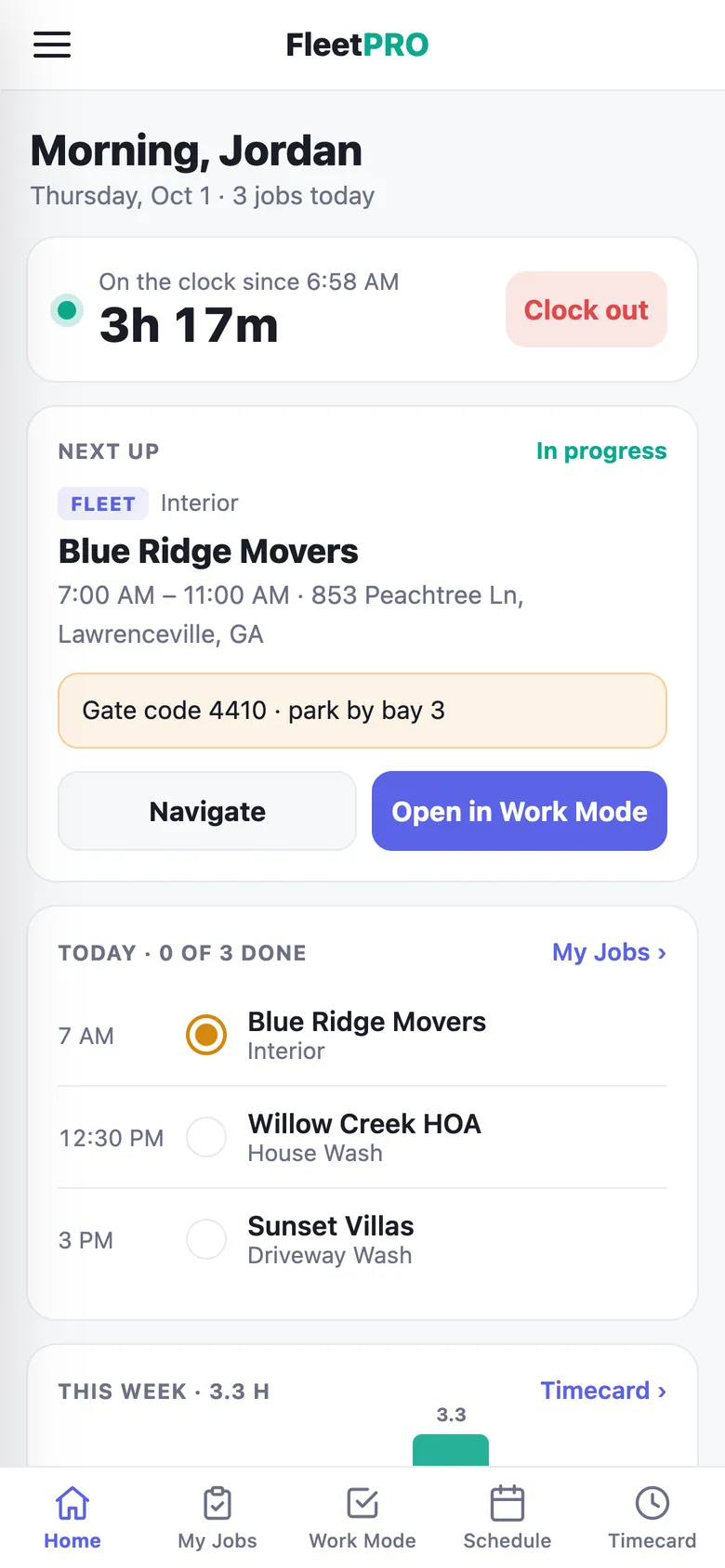
A stripped-down phone app with today’s work and nothing else to get lost in.

  • Work Mode checklists, photos & scanning
  • Their own schedule — only jobs assigned to them
  • Geofenced timecard clock-in / clock-out
  • Reports submit to an admin review queue — nothing goes out unchecked
Never sees: pricing, invoices, other customers’ revenue, or anyone else’s schedule. The calendar is read-only.
Your customers

Their own portal

A login that makes you look like a different class of vendor than whoever they used before.

  • Live wash progress, photos & service history
  • Invoices with card on file, auto-pay & tips
  • Service requests — scheduled, question, or urgent
  • Document signing & notification preferences
Scoped at the database: a customer login can only ever read that customer’s own data — it isn’t an app filter that could be worked around.
Nobody can promote themselves — the database blocks any attempt by a user to change their own role or move to another business.
Security & data protection

Your business, sealed at the database.

FleetPRO is multi-tenant the way a bank is multi-tenant: every record is scoped to your company at the database layer, and the rules can’t be slipped past from the app.

How your data is stored

Every customer, vehicle, photo, invoice, and timecard lives in a dedicated PostgreSQL database with row-level security — the isolation between businesses and between roles is written into the database itself, not filtered in the app. Data is encrypted in transit and at rest.

Photos are served through short-lived signed links instead of public URLs, and the moment a photo is saved it’s copied to a write-protected archive the app has no permission to delete from — a routine reset can never take your history with it.

Your company’s workspaceEvery record tagged to your business — invisible to every other tenant
Row-level securityDatabase-enforced rules decide who can read or write each row
Roles: admin · crew · customerEach login sees only what its role should — enforced below the app

Strong accounts

Server-enforced password rules (length, mixed case, digits, symbols) and two-step verification available to every user on every role.

Invite-only access

Crew and customers can’t self-register. An admin invites them by email, and the database blocks anyone from changing their own role.

Photos, triple-protected

Private storage with short-lived signed links, an append-only archive copy on every save, and optional camera-roll backup on the crew’s phone.

E-sign done properly

A frozen snapshot of exactly what was signed, a content hash, and the signer’s IP and timestamp — a record that stands up.

Cards never touch us

Payment cards live with Stripe. FleetPRO only ever sees the brand and last four digits — there’s nothing to steal.

Append-only audit trail

Completion logging can’t be rewritten — who marked which vehicle complete, and when, is permanent. Billing status is locked at the database too.

Your data is yours

Export customers, invoices, timecards, pricing, and the QuickBooks file as CSV any time. No lock-in, no export fee.

Encrypted everywhere

Data is encrypted in transit and at rest, and every user gets a one-time security walkthrough to strengthen their password and turn on 2-step.

And a whole lot more

Built to run the entire business

Sixteen feature areas, all live in production today. Tap any card for the full deep-dive.

Smart Scheduling

Month, week, and day views with crew assignment, job overviews, projected recurring visits, and booking from estimates.

CRM & Customers

Fleet accounts and service customers in one list — tags, quick actions, bulk tools, lead-source attribution, and contact records.

Geofenced Timecards

Crew clock in only when scheduled, on time, and physically on the job site. Payroll-accurate pay periods.

Branded Reports

Four report templates with your logo, colors, crew notes, and before/after photos — or fully white-label on Pro.

Email & SMS Marketing

Campaigns, segments, merge tags, and automations — win-backs, review requests, stale-quote nudges — with compliance built in.

Contracts & E-Sign

Send service agreements your customers sign online — drawn or typed signature, full audit trail, no login required.

Price Book & Rates

Org-wide services and packages with unit pricing, plus per-customer, per-vehicle-group fleet rates and add-ons.

QuickBooks Export

Paid-only, incremental CSV export — line items, tax, and discounts reconcile to the penny. No Intuit connection needed.

Web + Native iOS

Run the office from any browser and the field from a native iPhone app — camera scanning, GPS, push, same login.

Why FleetPRO

The best way to run a fleet-service business.

Not a generic field-service tool with “vehicle” typed into a custom field. Here’s what actually makes it different.

01

Built for this trade

Vehicle groups, per-service checklists, wash cycles, and fleet-manager CC lists exist because this industry needs them — not as afterthought custom fields.

02

The invoice writes itself

The crew checks off vehicles; FleetPRO counts them, prices them by group, adds the add-ons, and hands you a finished invoice. That’s the hour a day most operators lose.

03

Your customers see the work

Live progress, photos, history, invoices, and a card on file. Most vendors in this trade send a text saying “done.” You send a portal.

04

Quote to cash in one system

Estimate → signature → scheduled job → crew checklist → report → invoice → payment → QuickBooks. One record the whole way, no re-typing.

05

It’s your brand

Your logo, your colors, your business name on the emails, your domain on the campaigns. On Pro and up, no trace of FleetPRO anywhere your customer looks.

06

Fleet and residential together

The route work and the one-off driveway both live in the same customer list, calendar, and books. Most operators do both. Most software makes you pick.

Everything on this page is live. This isn’t a roadmap — every feature is built, deployed, and running in production today, including payments processing real money.
Beyond fleet washing

Purpose-built for fleets. Ready for any service business.

If you quote it, schedule it, do it, and invoice it — FleetPRO runs it.

Service types are yours to define, with unit pricing by square foot, linear foot, or flat rate. Service customers live alongside fleet accounts with their own job-site pins, notes, and history — and the entire estimate-to-payment pipeline is industry-agnostic.

  • Unlimited custom services — name them, build their checklists, or make them one-tap done-or-not-done
  • A price book that speaks your language — sq ft, linear ft, flat rates, and packages with an “includes” list
  • Residential & commercial jobs — gate codes, pets, parking notes, and a map pin on every job site
  • The same money machine — estimates with e-sign, hosted payment pages, tips, marketing automations, QuickBooks
Fleet washing Pressure washing House & soft wash Window cleaning Roof & gutter Concrete & decks Solar panel cleaning Mobile detailing Route-based services Any field crew
Simple, scalable pricing

Start free. Upgrade when you grow.

Every plan includes Work Mode, scanning, scheduling, estimates & e-signature, invoicing, card payments, marketing, and the customer portal.

Free
$0/mo
For solo operators getting off paper. 3 customers · 1 seat.
Start Free
  • Work Mode, scanning & photos
  • Estimates, invoicing & card payments
  • Customer portal & marketing
  • Scheduling & push notifications
Starter
$29.99/mo
For growing crews and a few fleets. 5 customers · 3 seats.
Start Free, Upgrade In-App
  • Everything in Free
  • Custom service checklists
  • All 4 report templates & branding
  • Custom vehicle groups
MOST POPULAR
Pro
$79.99/mo
For established multi-crew operations. 25 customers · 15 seats.
Start Free, Upgrade In-App
  • Everything in Starter
  • Dashboard analytics & completion log
  • Geofenced timecards & payroll periods
  • White-label reports (no watermark)
Business
$149.99/mo
For high-volume fleets — 5,000+ vehicles. Unlimited everything.
Start Free, Upgrade In-App
  • Everything in Pro · unlimited scale
  • Documents & contract e-sign
  • Bulk vehicle import at scale
  • Onboarding & migration help
FeatureFreeStarterProBusiness
Work Mode & vehicle tracking
Photos, notes & before/after
Unit ID & QR scanning
Scheduling
Estimates & e-signature
Invoicing & payment links
Card payments & tips
Customer portal
Completion reports (Basic template)
Marketing campaigns
QuickBooks export
Push notifications
Bulk import
Custom service checklists
Custom vehicle groups
All 4 report templates & branding
Dashboard analytics & charts
Completion log (audit trail)
Timecards & geofencing
White-label (remove watermark)
Documents & contract e-sign

Card payments carry a 1% platform fee on the base amount — tips are never charged a fee. Standard Stripe processing rates apply and come out of your payout. Subscriptions are billed by Stripe on the web or Apple In-App Purchase on iOS. Cancel anytime.

Questions

Everything you need to know

No. FleetPRO’s bulk importer is built for scale — paste from a spreadsheet or upload a CSV, auto-map the columns, preview, and load thousands of vehicles in minutes with a live progress bar. Fleets of 5,000+ trucks import cleanly, and it de-duplicates as it goes.

Yes. The office runs in any web browser, and the field runs as a native iOS app with live camera unit-number scanning, QR scanning, photo capture, GPS for the timecard geofence, and instant push notifications. Same login, same data, synced in real time.

Crew get a focused field app — Work Mode, their own schedule, and their timecard. No pricing, no invoices, no revenue. Customers get their own portal — live progress, photos, invoices, and requests, scoped to only their data. Each role’s boundaries are enforced by database rules, not hidden buttons.

Connect your bank through Stripe’s guided onboarding in a few minutes. Invoices get a hosted payment page with an optional tip prompt; your customer pays the exact invoice total, invoices flip to Paid automatically, and tips are 100% yours. The platform fee is 1% of the base amount.

Every record is isolated per business with database row-level security, encrypted in transit and at rest. Photos are private with signed links and a write-protected archive copy. Passwords are policy-enforced server-side, two-step verification is available to everyone, and card numbers never touch FleetPRO — Stripe holds them.

Yes. You define unlimited service types with their own checklists — or none. The price book supports sq ft, linear ft, and flat pricing plus packages, and service customers (house wash, concrete, windows, gutters, solar) live alongside fleets in the same CRM, calendar, and books. New accounts even start seeded with eight common exterior-cleaning services.

Yes — email and SMS campaigns with merge tags, segments, and live previews. Send now, schedule, or automate: win-backs, post-service review requests, stale-estimate nudges, unpaid-invoice reminders, and seasonal sends. Unsubscribe links, STOP handling, and a suppression list are built in.

It works alongside it. FleetPRO tracks revenue, expenses, and receivables day to day, then exports collected invoices to QuickBooks Online as an import-ready CSV — paid-only and incremental, with discounts, tax, and fees broken out so the totals reconcile exactly. No Intuit connection or integration fee.

Nothing. The Free plan covers a small operation with no credit card required. Upgrade in-app only when you need more customers, seats, or advanced features — and yearly billing gives you 3 months free.

Stop chasing trucks on paper.

Create your workspace in minutes and run your next wash day on FleetPRO.