Features

The whole job, in one app.

From the first quote to the final payment — every tool your office, your crew and your customers need. Plan badges show the lowest plan that includes a feature; everything else is on every plan, including Free.

What's new

Shipped recently.

FleetPRO ships improvements every week. A few of the latest:

September 2026

Crew Home & tab bar

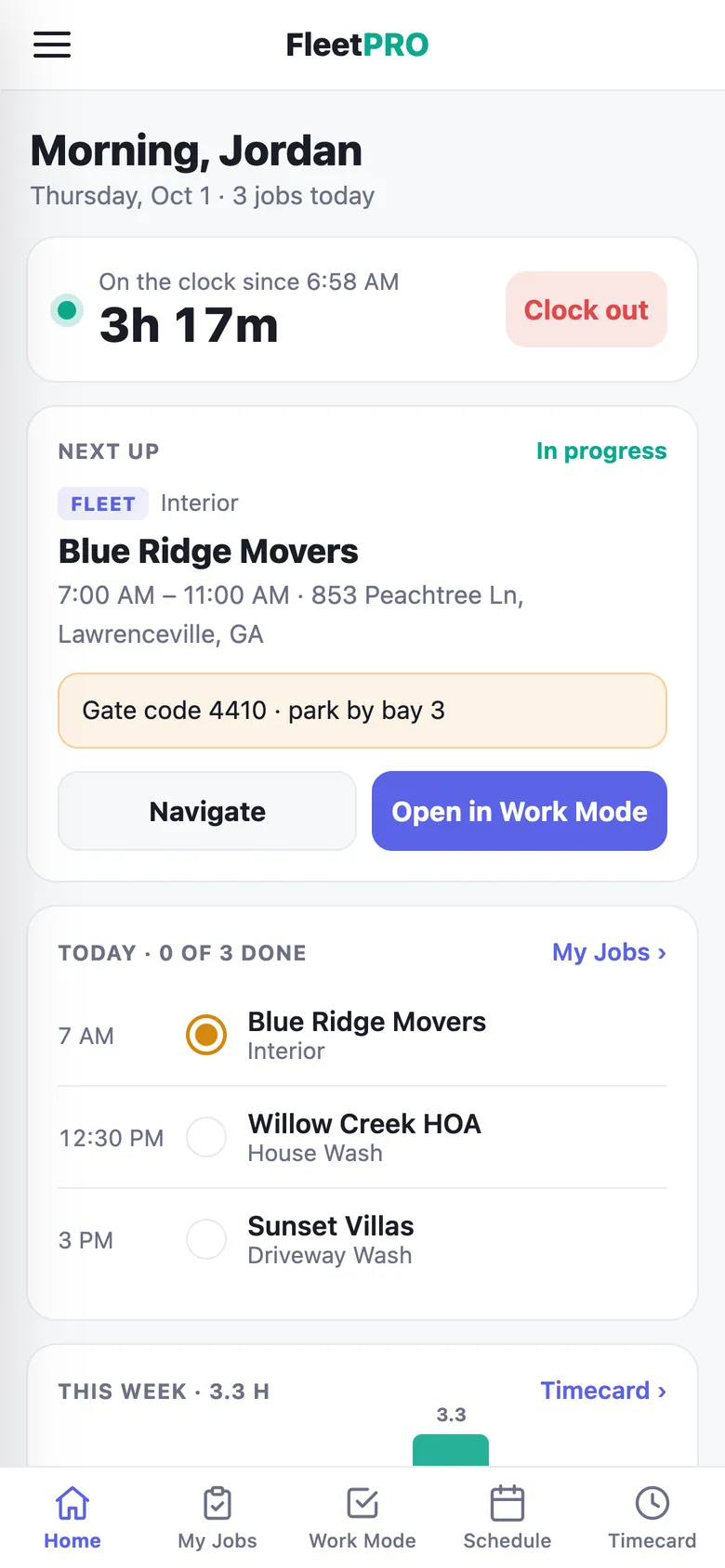
Crew land on a home screen with their clock, next job, today's list and hours — plus a tab bar for jobs, Work Mode, schedule and timecard.

September 2026

Pick the vehicles for each job

Choose exactly which trucks a job covers. Crew see only those vehicles, and the report and invoice follow.

September 2026

Fleet intake links

Text or email a customer a link to send you their truck list — typed, pasted, or as a spreadsheet or PDF.

September 2026

Crew push notifications

New jobs, schedule changes, a morning run-down, a heads-up before each job and a clock-out reminder.

September 2026

Priced service jobs

Build jobs from your price book with a running total. Prices stay admin-only — crew never see them.

September 2026

Expenses, archives & reminders

A full expenses screen with categories, customer and vehicle archiving, custom invoice footers and one-tap past-due reminders.

Work Mode

Every vehicle, checked off on site.

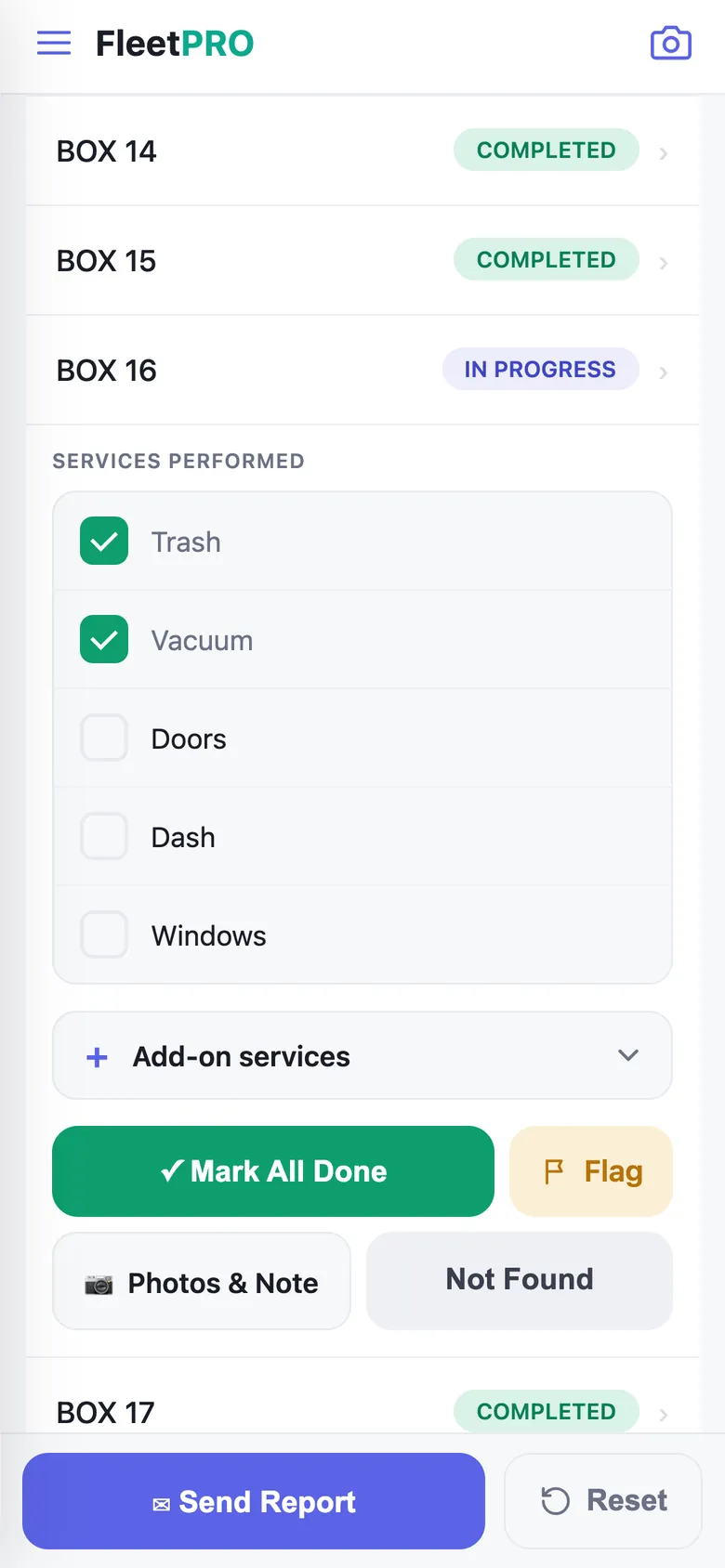
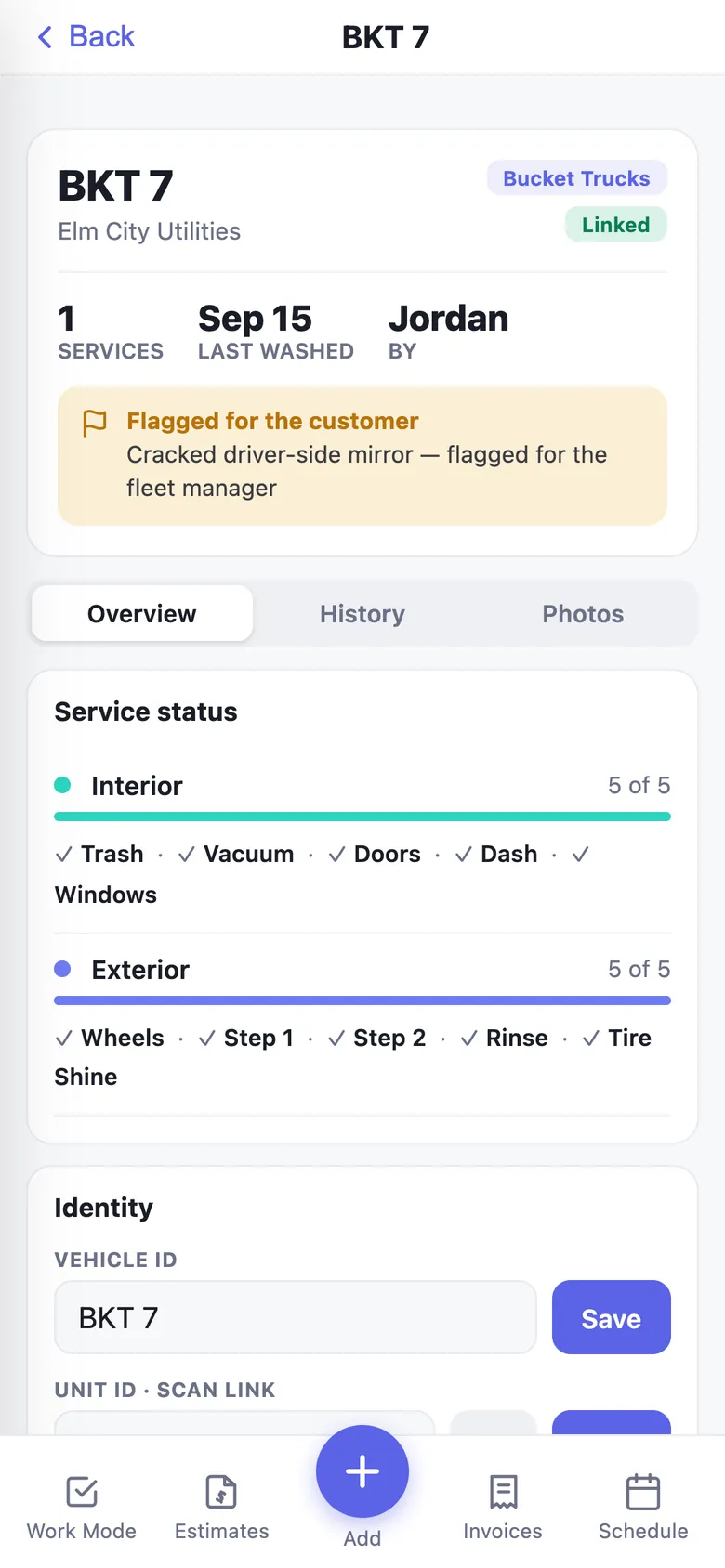
The crew's main screen. Vehicles are grouped by type, progress updates live, and switching between services is one tap.

Per-service checklists STARTERInterior, exterior, cargo floor — unlimited services, each with its own tasks.
Unit ID & QR scanningScan the truck to jump to it. Print QR stickers for a whole fleet.
Vehicle groups STARTERCDV, EDV, box trucks — colored badges and per-group pricing.
Photos, notes & before/aftersBuild labeled before/after images in the app, with filters and framing.
Flag a vehicleHighlight damage or issues — flagged trucks lead the customer's report.
Built for big fleets1,000-vehicle accounts load fast. Archive retired trucks without losing history.
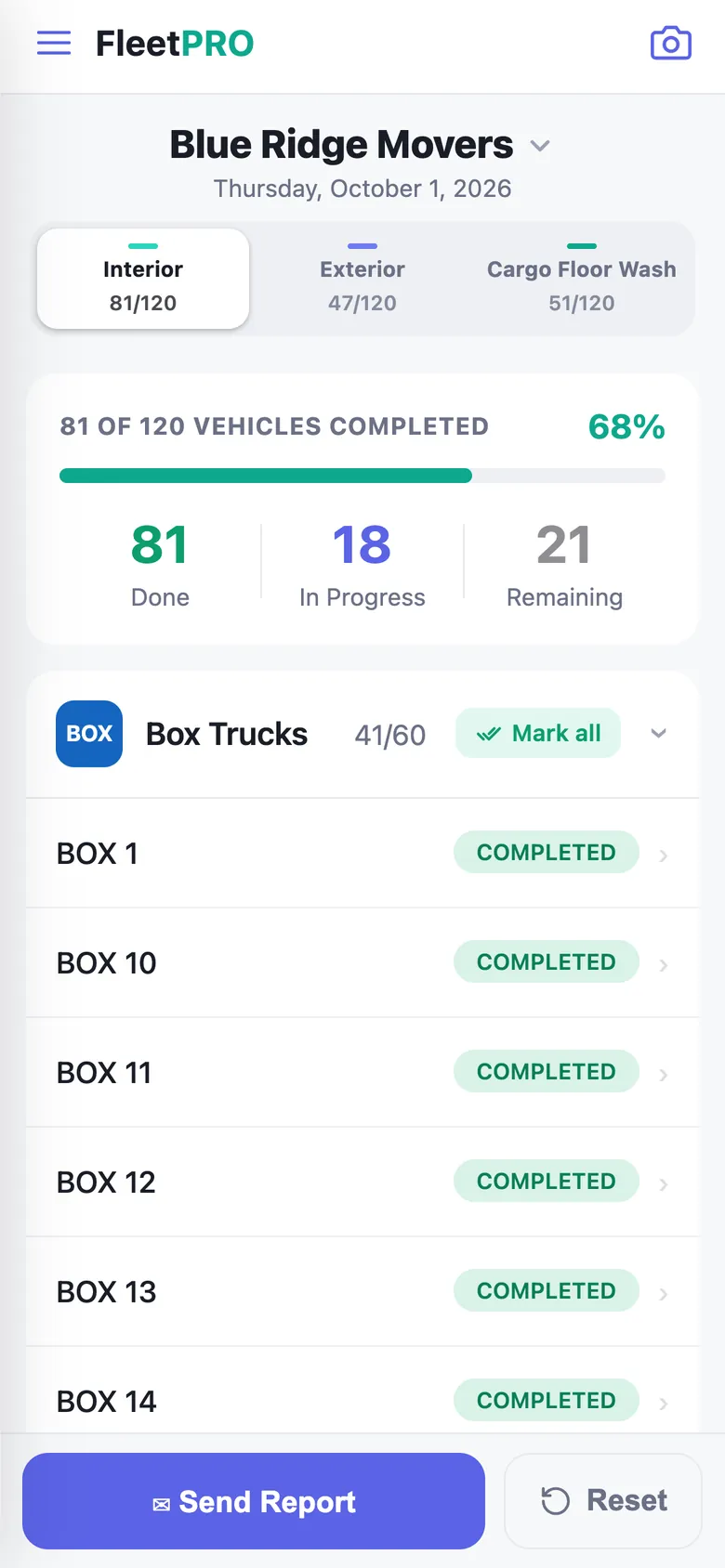
Work Mode vehicle list
Vehicle checklist expanded
Crew app

A simple app your crew will actually use.

Crew get their own focused app: today's jobs, directions, Work Mode and their hours. No prices, no clutter.

Crew HomeClock, next job, today's list and this week's hours at a glance.
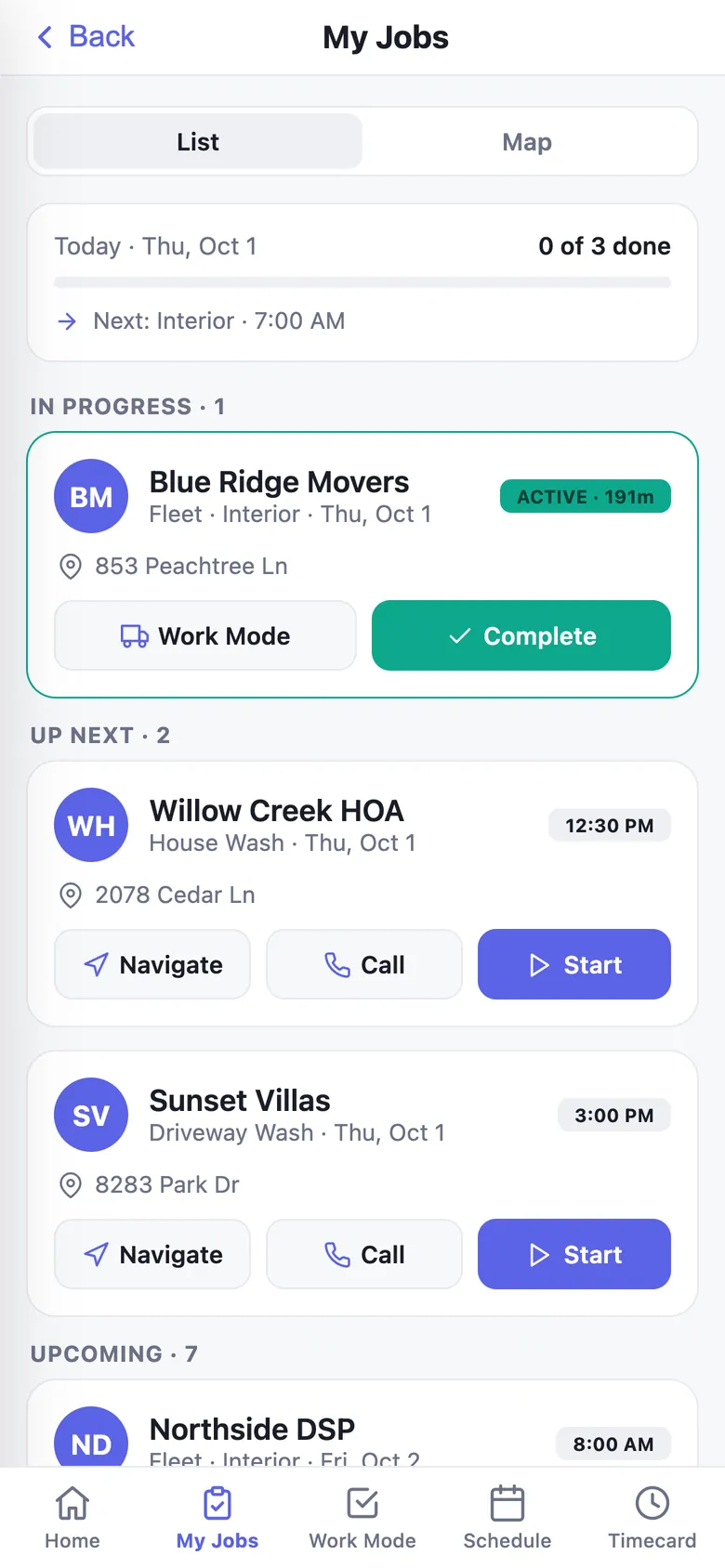
My Jobs with map viewNavigate, call the customer, start and complete each job.
Job timersStart and finish times on every job, compared with the booked window.
Crew push alertsNew jobs, changes, a morning run-down and reminders — each mutable.
Submit reports for reviewCrew send the finished report to the office to review and send.
Their jobs onlyCrew see only their own schedule — never other crews or prices.
Crew Home
My Jobs
Schedule & jobs

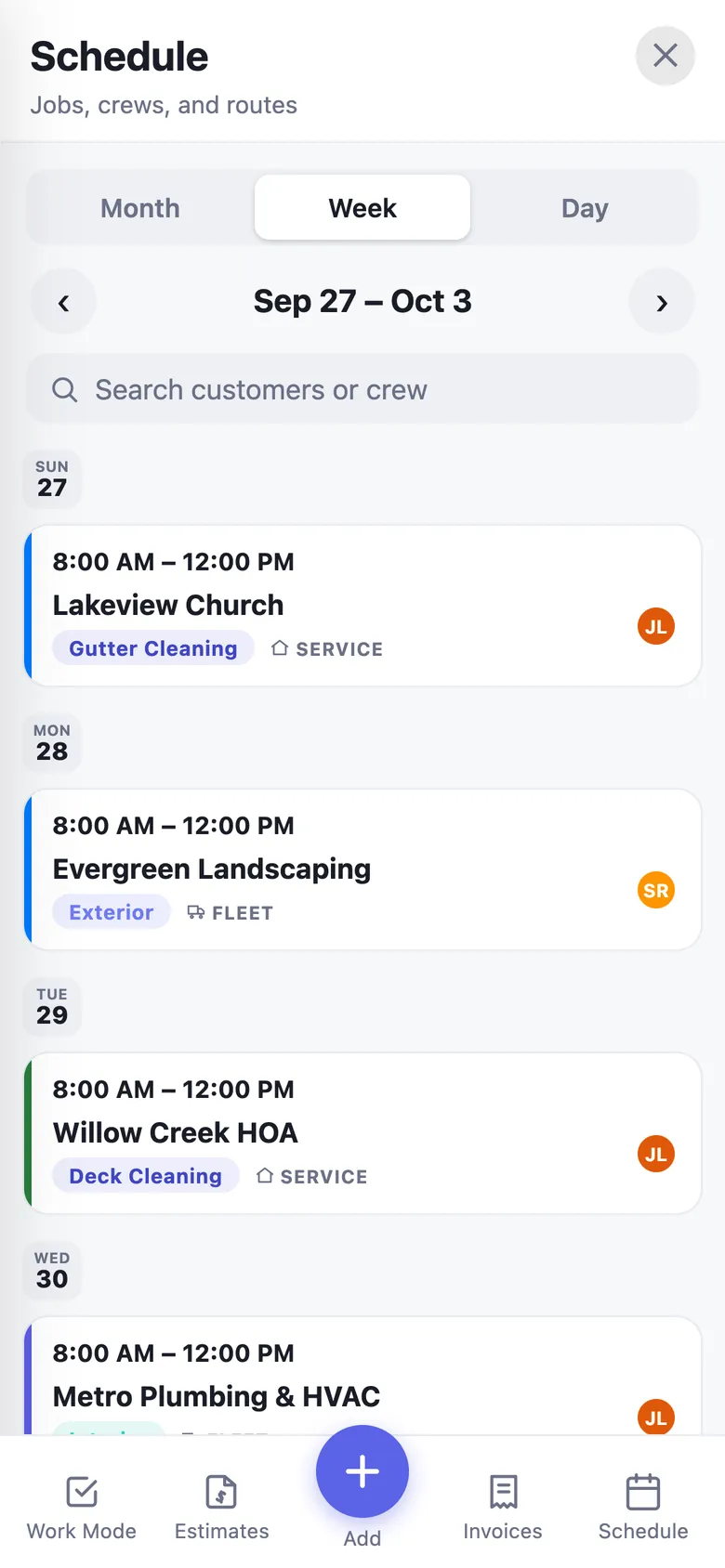
Plan the week in minutes.

Fleet routes and one-off jobs share one calendar. Book the job, choose the crew and the vehicles, and everyone's notified.

Month, week & day viewsColor-coded service chips, crew avatars and search.
Pick vehicles per jobCover a whole fleet or hand-pick trucks by group.
Priced jobsBuild service jobs from your price book with a running total.
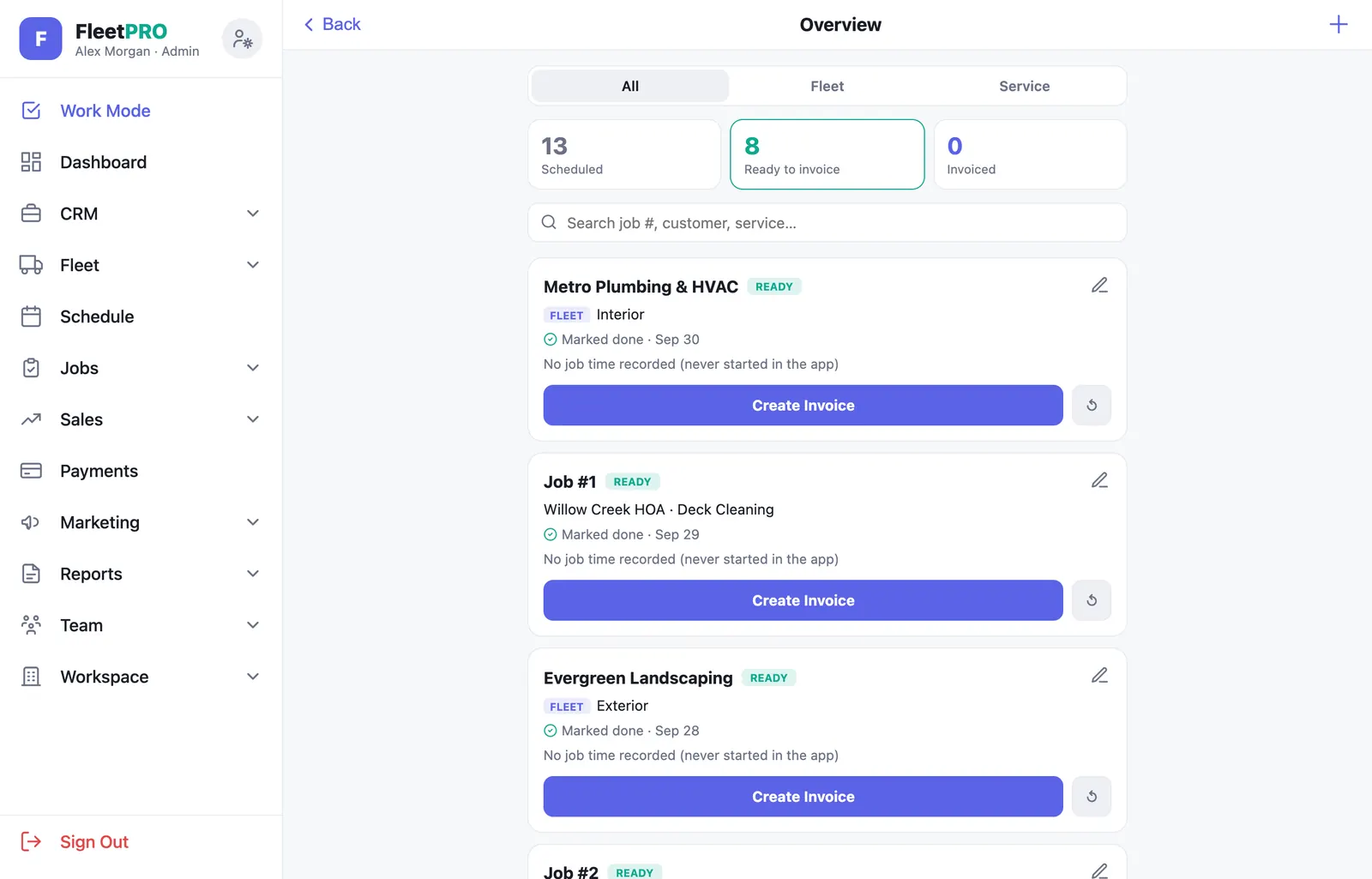
Jobs overviewScheduled, ready to invoice and invoiced — with job numbers.
Multiple depotsPick the location when a customer has more than one site.
Work ordersSubcontract for a general contractor? Take their work orders, quote and deliver the completion packet.
usefleetpro.app
Jobs overview
Schedule week view
Reports & client portal

Show your customers the work.

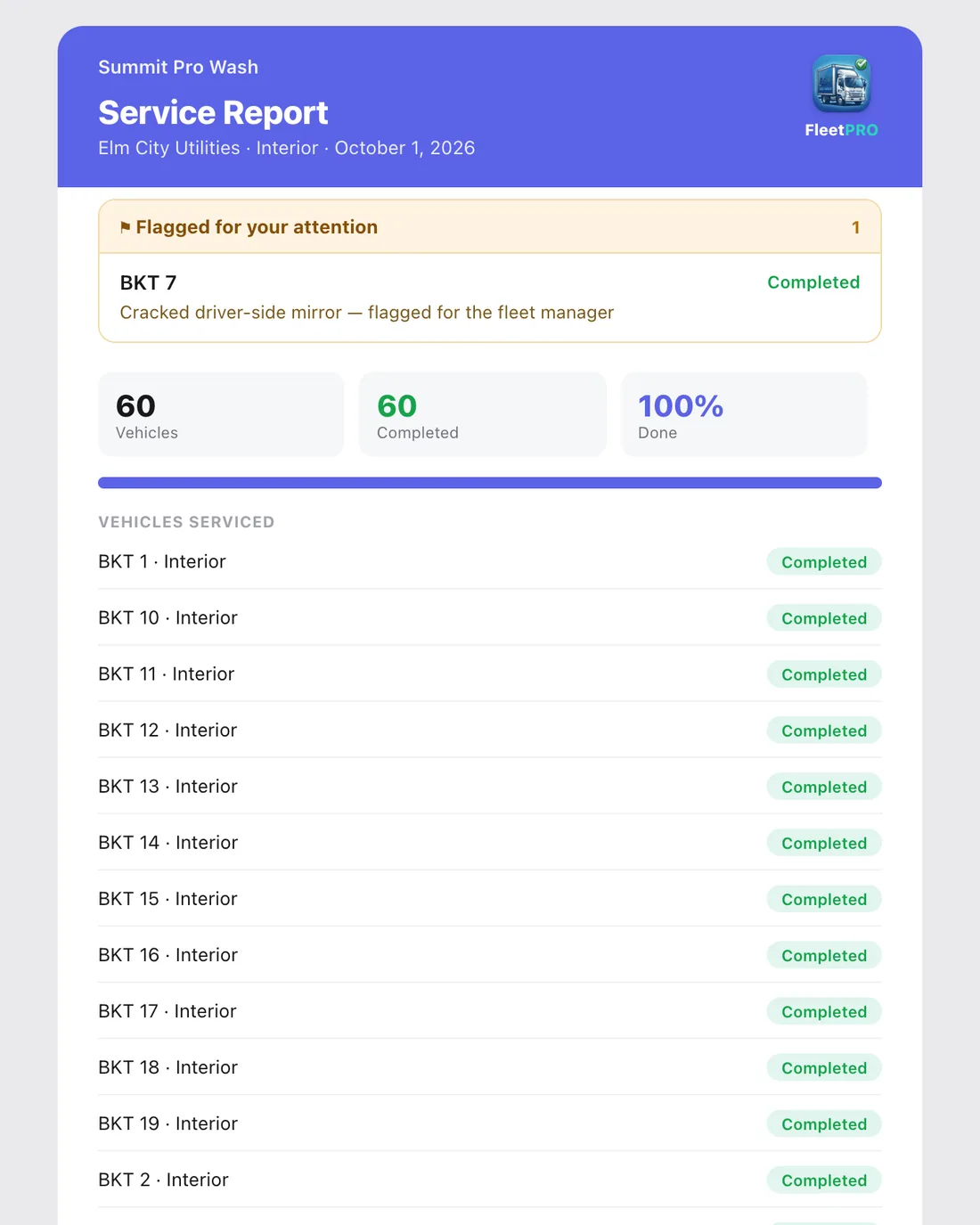
Branded completion reports go out with one tap — one per service — and your customers get a live portal of their own.

Four report templates STARTERYour logo, accent color, title and footer. Free uses the Basic template.
Photos & crew notesIncluded automatically — or hand-pick which photos go out.
White-label PRORemove the FleetPRO mark so reports are 100% your brand.
Client portalLive progress per service, next service, history, photos and spending.
Service requestsCustomers request a wash, flag something urgent or ask a question.
Review before sendingCrew-submitted reports land in a queue for the office to approve.
Service Report · Elm City Utilities
Completion report email
Client portal
Estimates

Quote fast. Close faster.

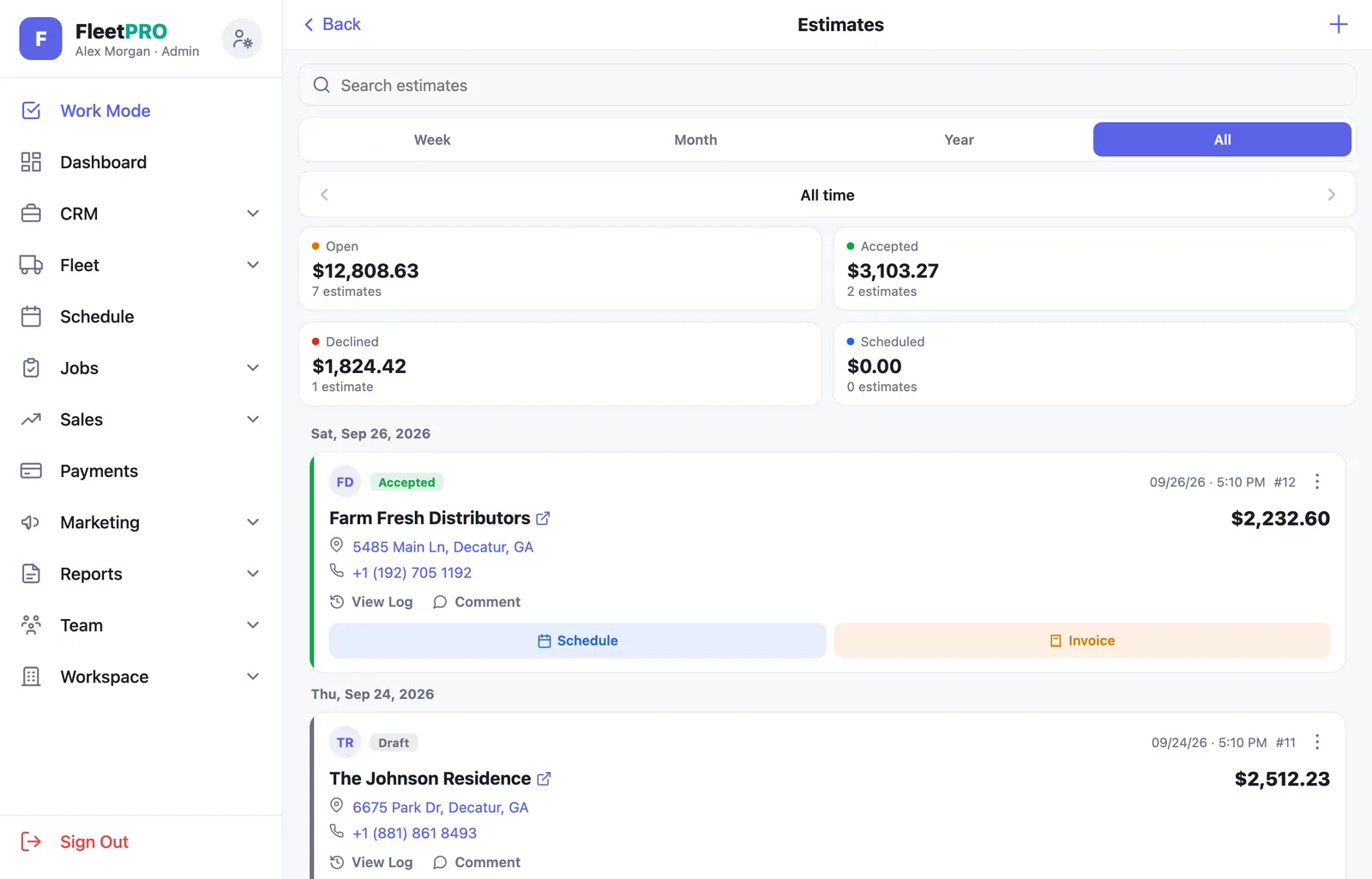
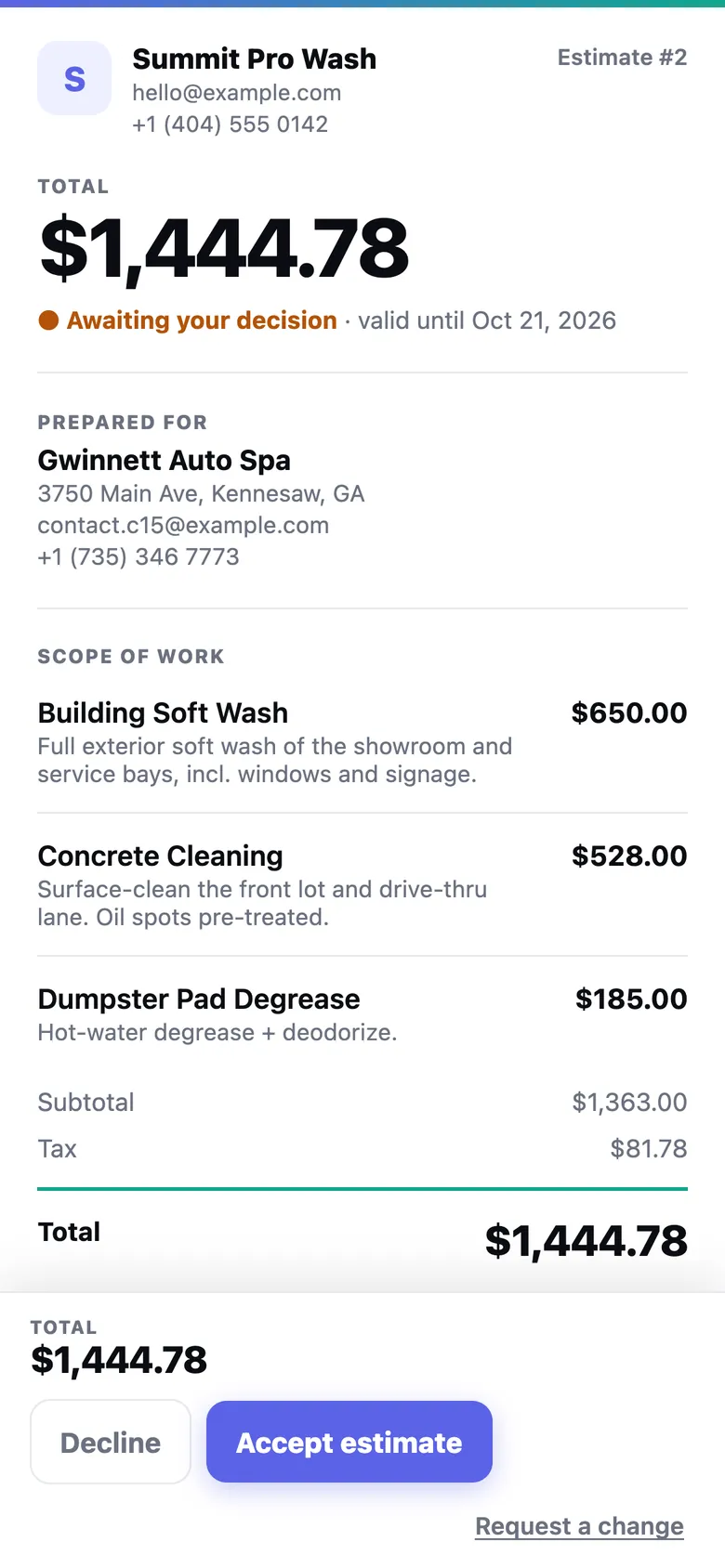
Build a quote from your price book, send a clean link, and let the customer accept and sign from their phone.

Price book & packagesSq ft, linear ft and flat services, preloaded for your industry.
E-signature on acceptSignature, timestamp, IP and a tamper-evident hash on every acceptance.
Viewed & accepted alertsGet a push the moment it's opened or signed.
Service agreementsAttach your own agreement PDF from a reusable library.
One-tap convertTurn an accepted quote into an invoice or book the job.
Pipeline at a glanceOpen, accepted, declined and scheduled totals, plus follow-up reminders.
usefleetpro.app
Estimates screen
Estimate the customer sees
Invoices & payments

Get paid in days, not months.

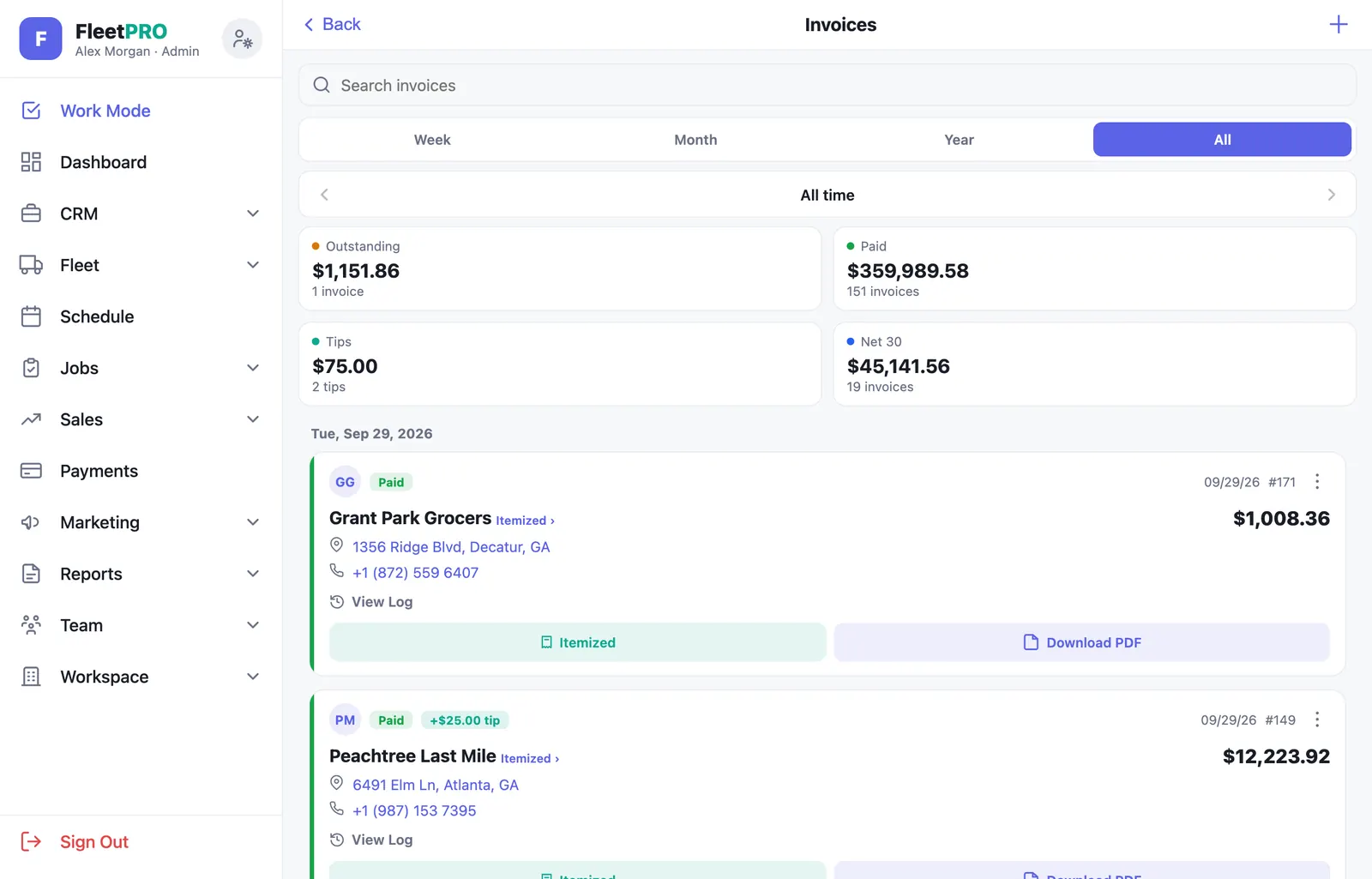
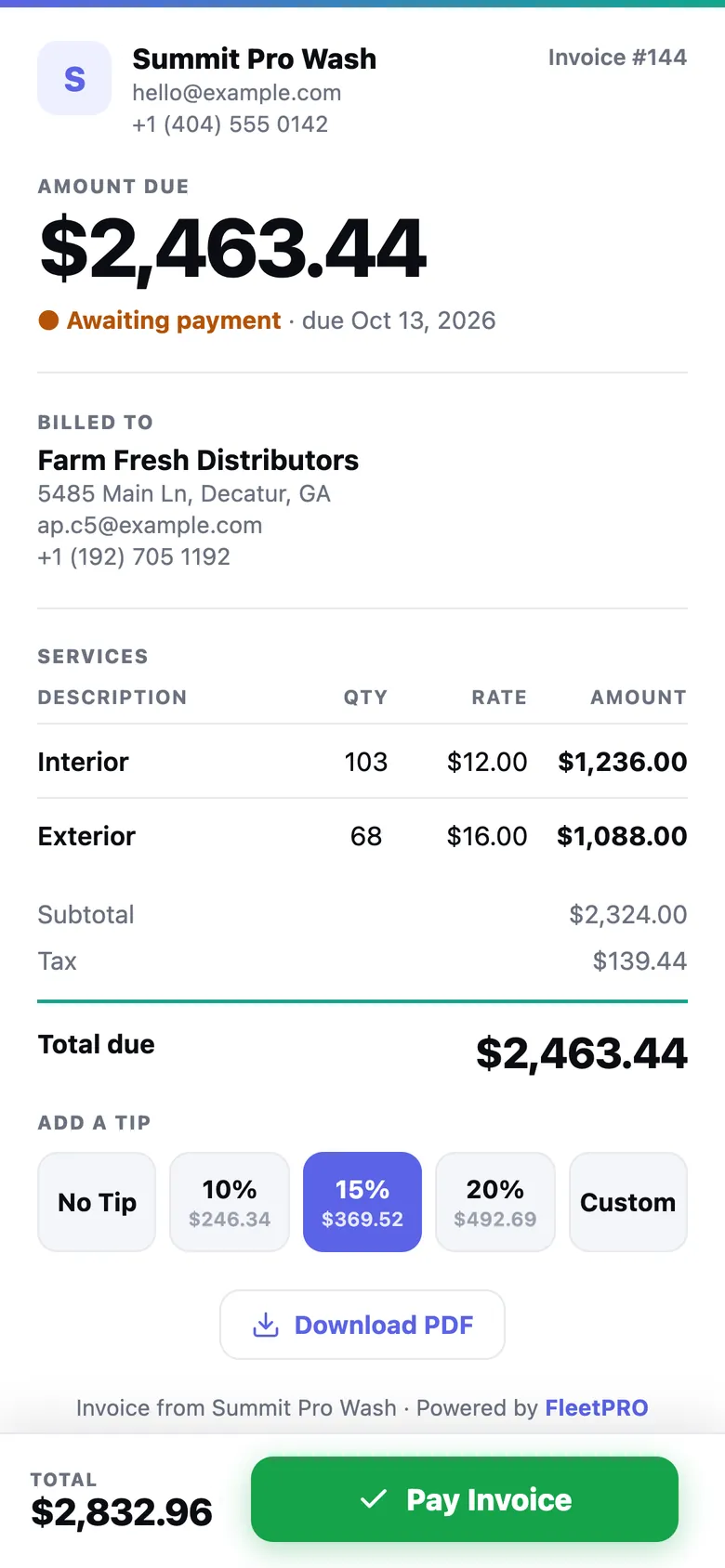
Fleet invoices price themselves from the vehicles you completed. Customers pay by card from a link, with a tip if they like.

Smart fleet invoicesAuto-priced per vehicle type and service, broken down line by line.
Online card paymentsPowered by Stripe. Money goes straight to your bank.
TipsCustomers can add 10%, 15%, 20% or a custom tip — all yours.
Card on file & autopayRegular accounts approve once and pay automatically.
Past-due remindersBranded reminder emails in one tap, from your dashboard to-do list.
QuickBooks exportPaid invoices export as a QuickBooks Online import file.
usefleetpro.app
Invoices screen
Invoice the customer sees
Customers

A CRM built for fleets and homeowners alike.

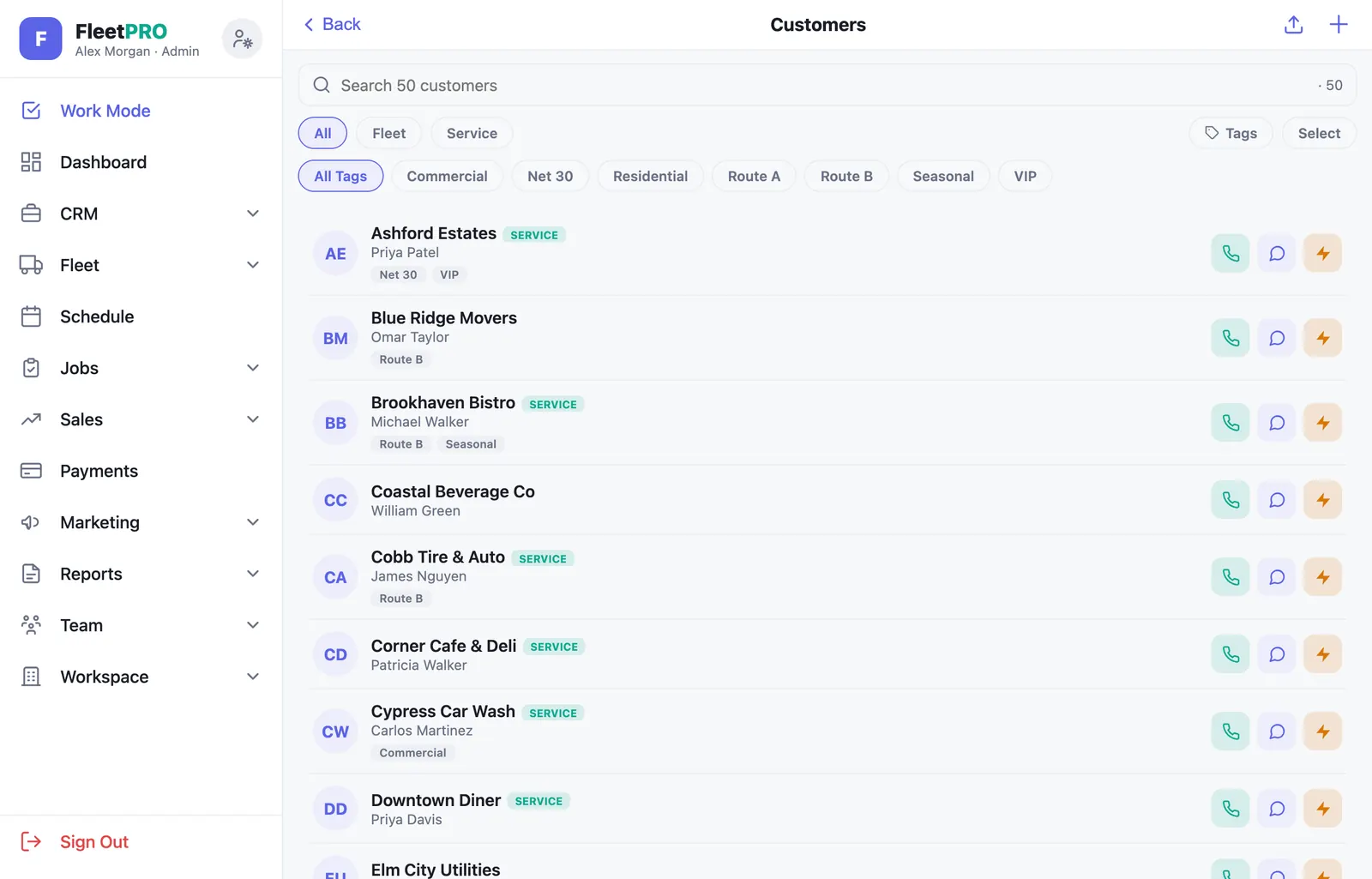
Fleet clients and service customers live side by side, with everything you need to reach them in a tap.

Owner & fleet managersStore every contact; managers get the reports automatically.
Tags & lead sourcesFilter, bulk-tag and see which channels bring in customers.
Fleet intake links PROCustomers send you their truck list from a link.
Bulk importPaste or upload a spreadsheet — thousands of vehicles at once.
Multiple sites & map pinsEvery depot geocoded, with a flag when a pin is missing.
Archive, don't deleteRetire old customers and vehicles while keeping their history.
usefleetpro.app
Customers CRM
Vehicle detail
Inspections & documents

Proof, on file, every time.

Document a vehicle's or property's condition before you touch it, and keep every agreement signed and stored.

Condition inspections STARTERGuided angle photos, a damage folder and a private share link.
Customer sign-offCustomers capture photos and sign on their own phone.
Document libraryKeep your agreements and PDFs in one reusable folder.
Contracts & e-sign BUSINESSPlace fields on any PDF, fill your part, send for signature.
Photo archiveEvery photo, by customer and vehicle, kept even after a reset.
Audit trailSigned copies are flattened, hashed and time-stamped.
EDV 42 — Condition inspectionShared with the fleet manager · signed
Front
Driver side
Passenger side
Rear
Damage · 2 photosScuff near front wheel well · Cracked mirror
Signed · Oct 1, 2026 · 9:12 AM
Marketing PRO

Fill the calendar on autopilot.

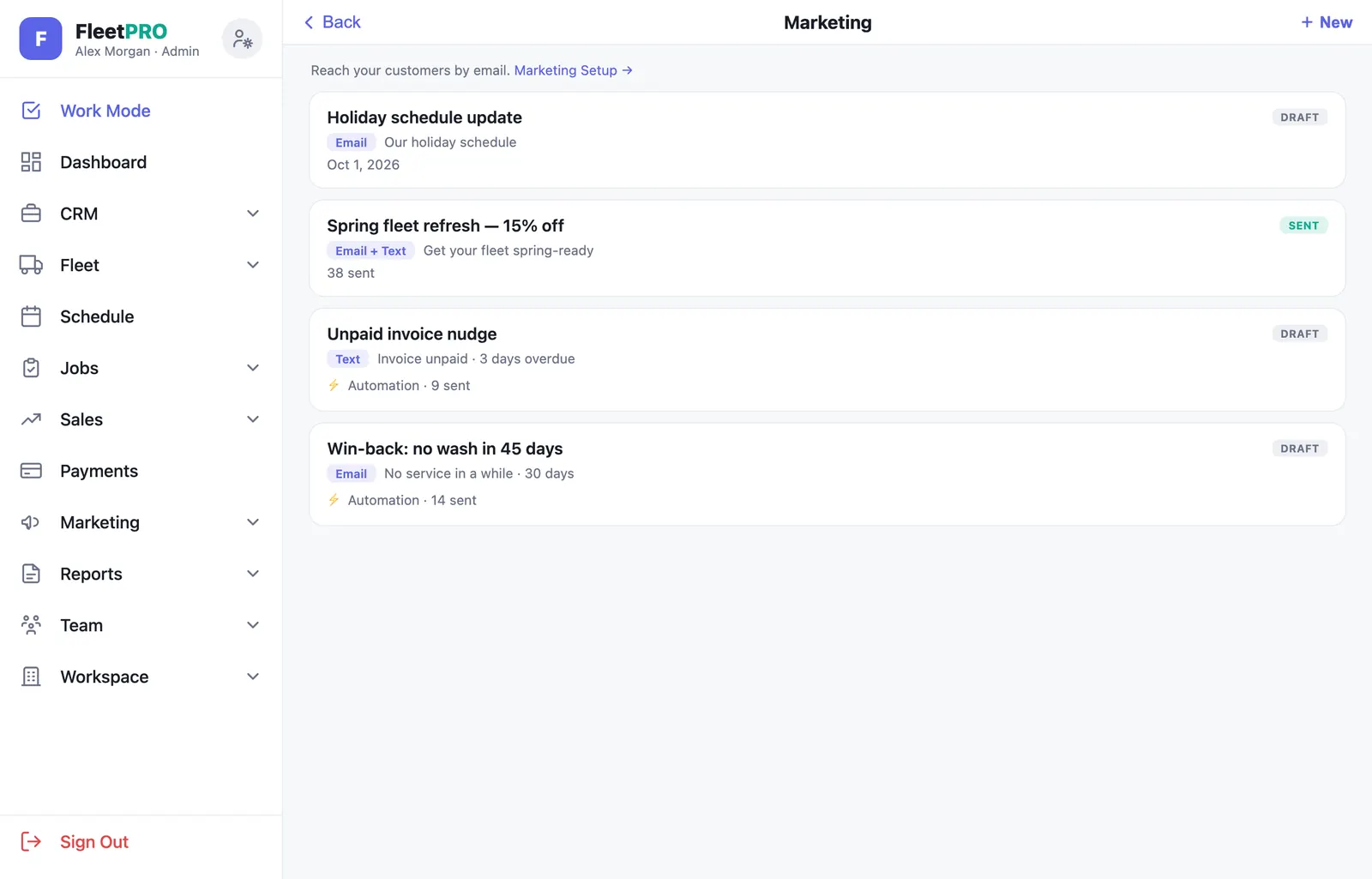
Send email and text campaigns to the customers you already have — or set automations once and let them run.

Email & SMS blastsSegment by fleet or service customers and tags.
Scheduled sendsWrite it now, send it Tuesday at 9.
AutomationsWin-backs, post-service follow-ups, stale quotes, unpaid invoices.
Merge tagsFirst name, company, balance due, last service date.
Compliance built inOne-click unsubscribe, STOP handling and a suppression list.
Your own domain BUSINESSSend from your business address after a quick DNS check.
usefleetpro.app
Marketing campaigns
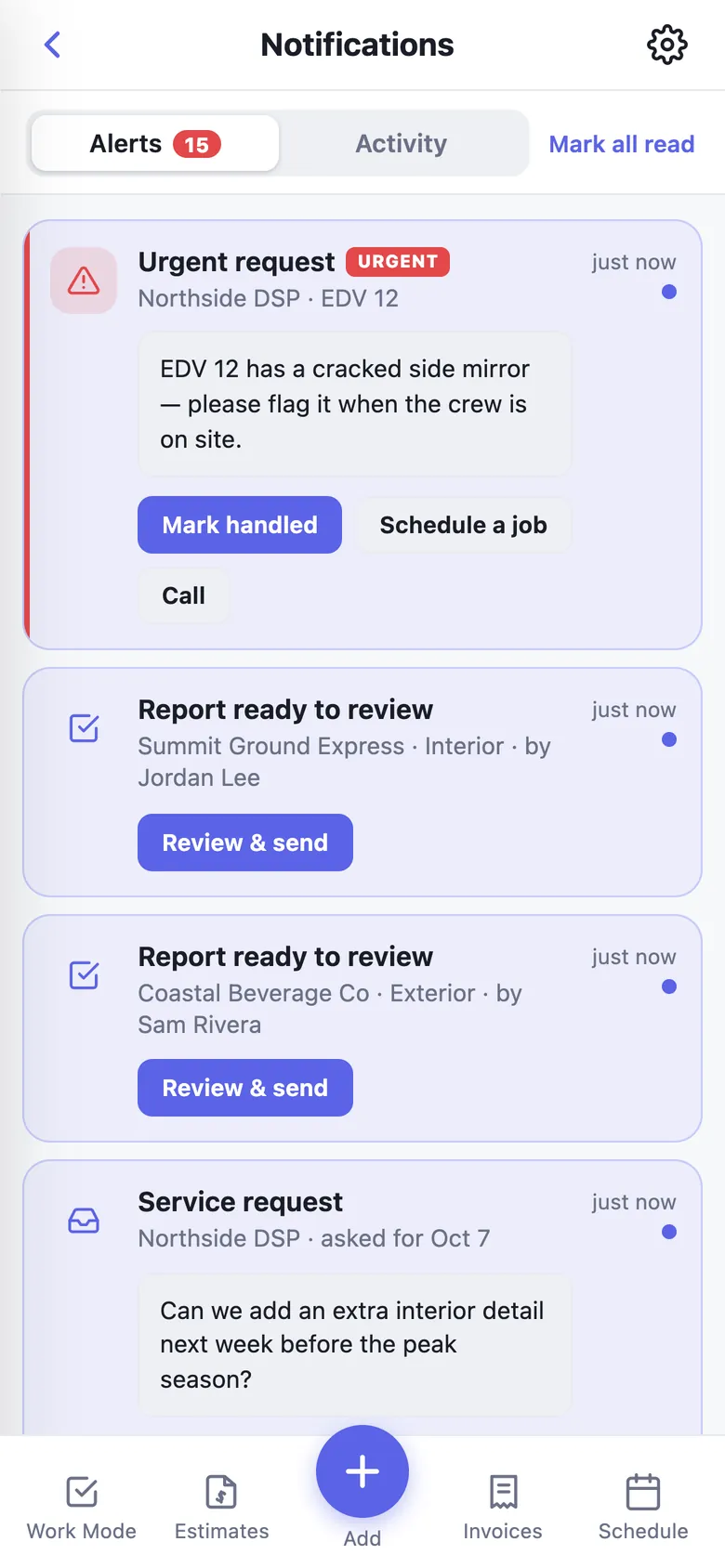
Notification center
Team & payroll

Hours you can trust.

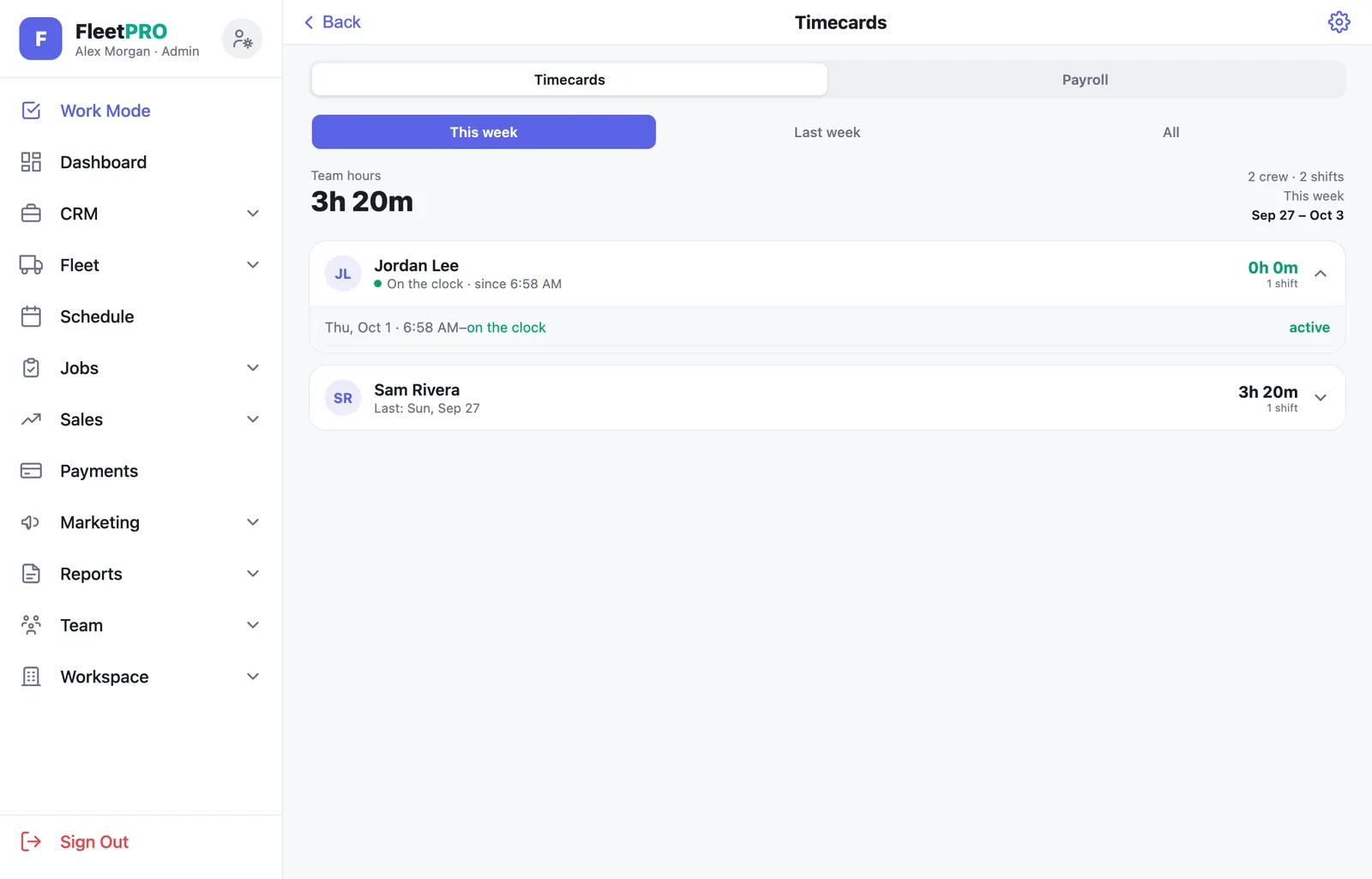
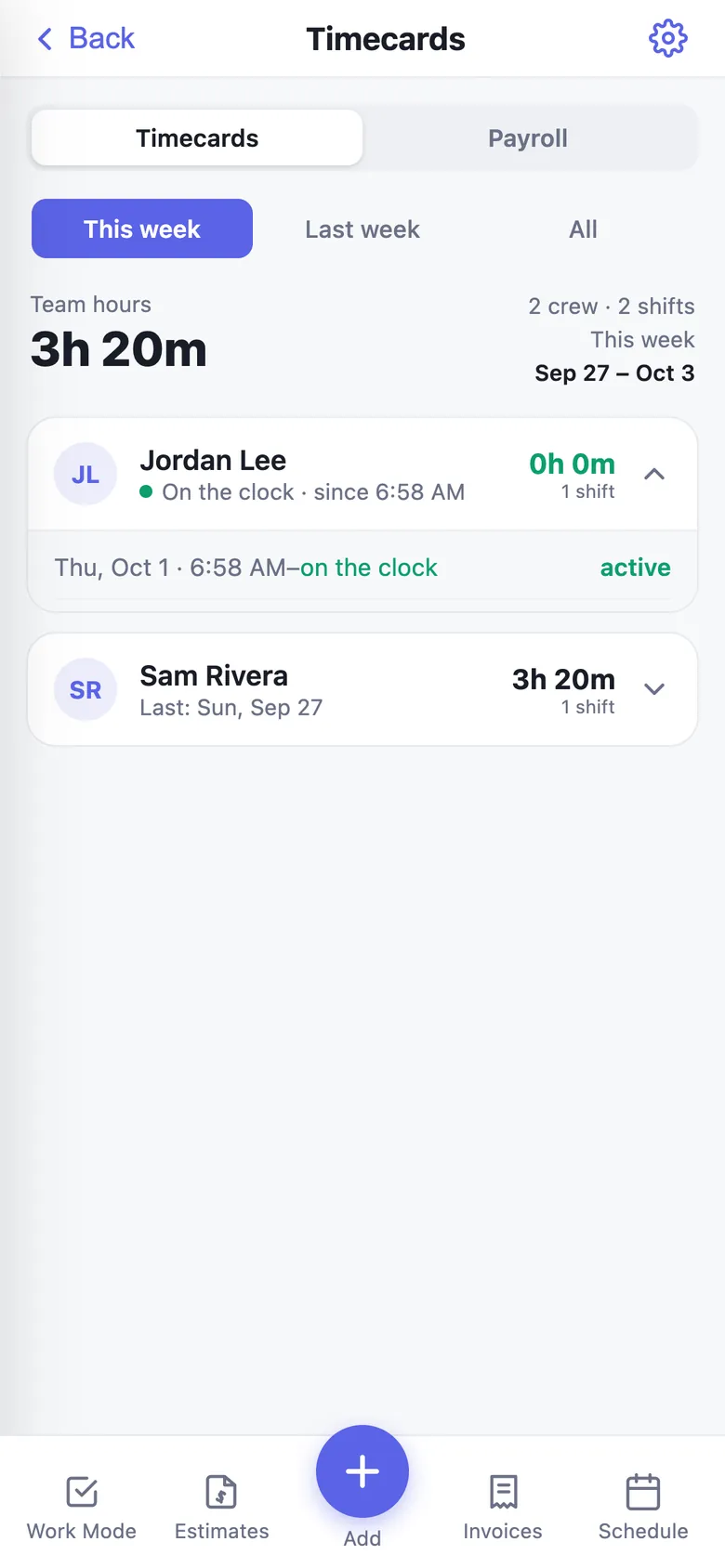
Crew clock in from their phone — only on site and on schedule — and payroll practically adds itself up.

Geofenced clock-in PROSet the radius and how early crew may clock in.
Auto clock-outForgotten punches close themselves and get flagged for review.
Payroll worksheetHourly, salary, daily or per-job pay with your overtime rule.
Roster & invitesEmployee profiles, pay, emergency contacts and login invites.
Roles & permissionsAdmins, crew and customers each see only what they should.
Completion log PROWho completed which vehicle, and when.
usefleetpro.app
Timecards
Timecards on iPhone
Insights

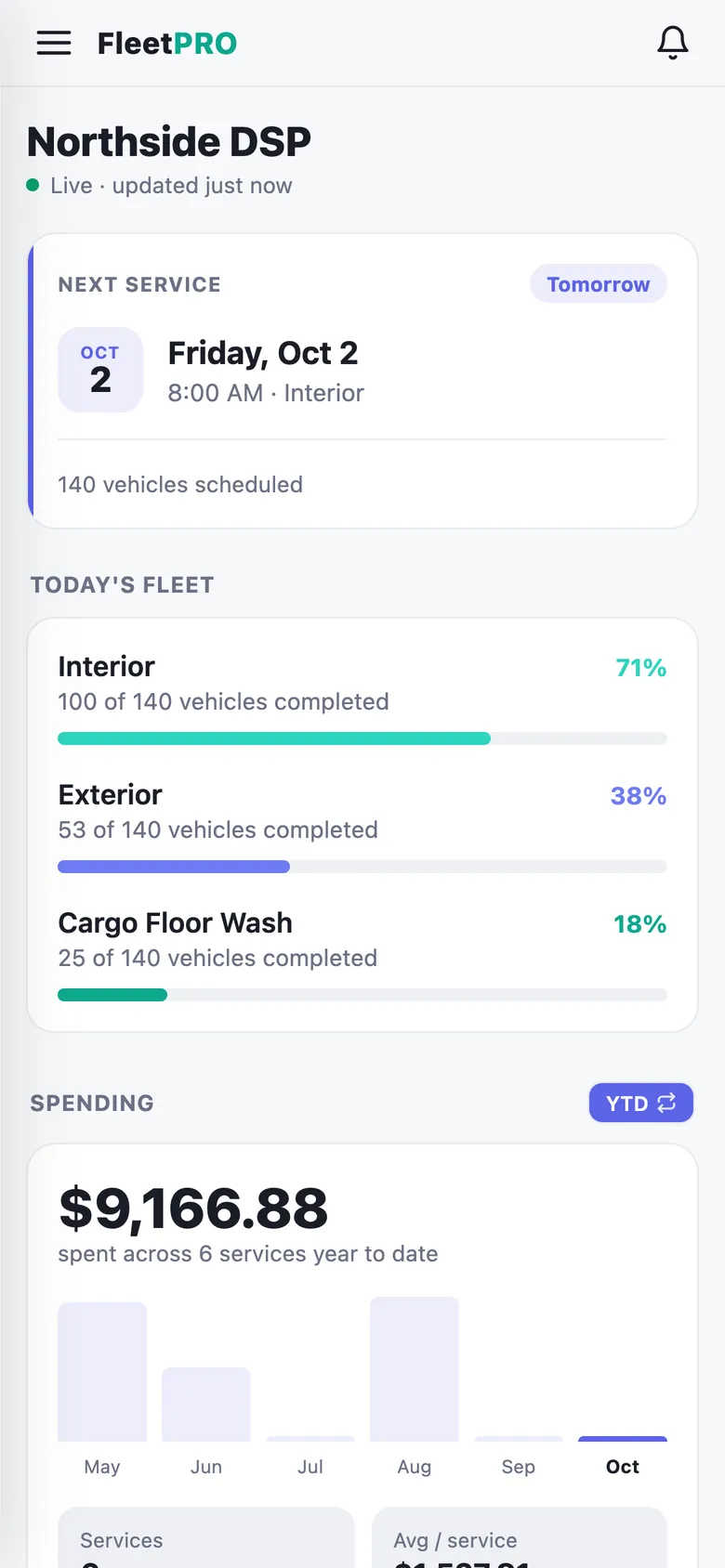
Your numbers, every morning.

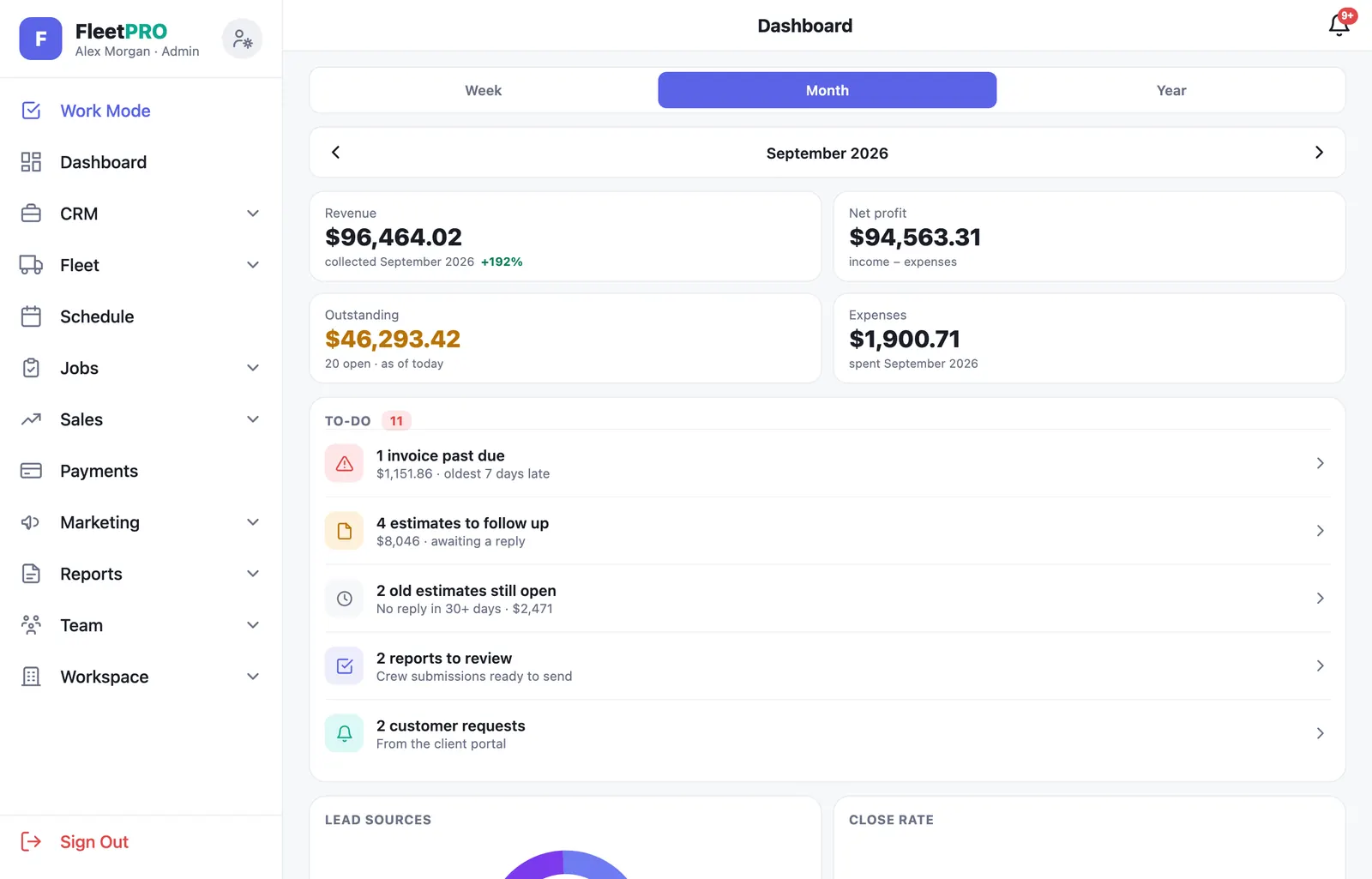
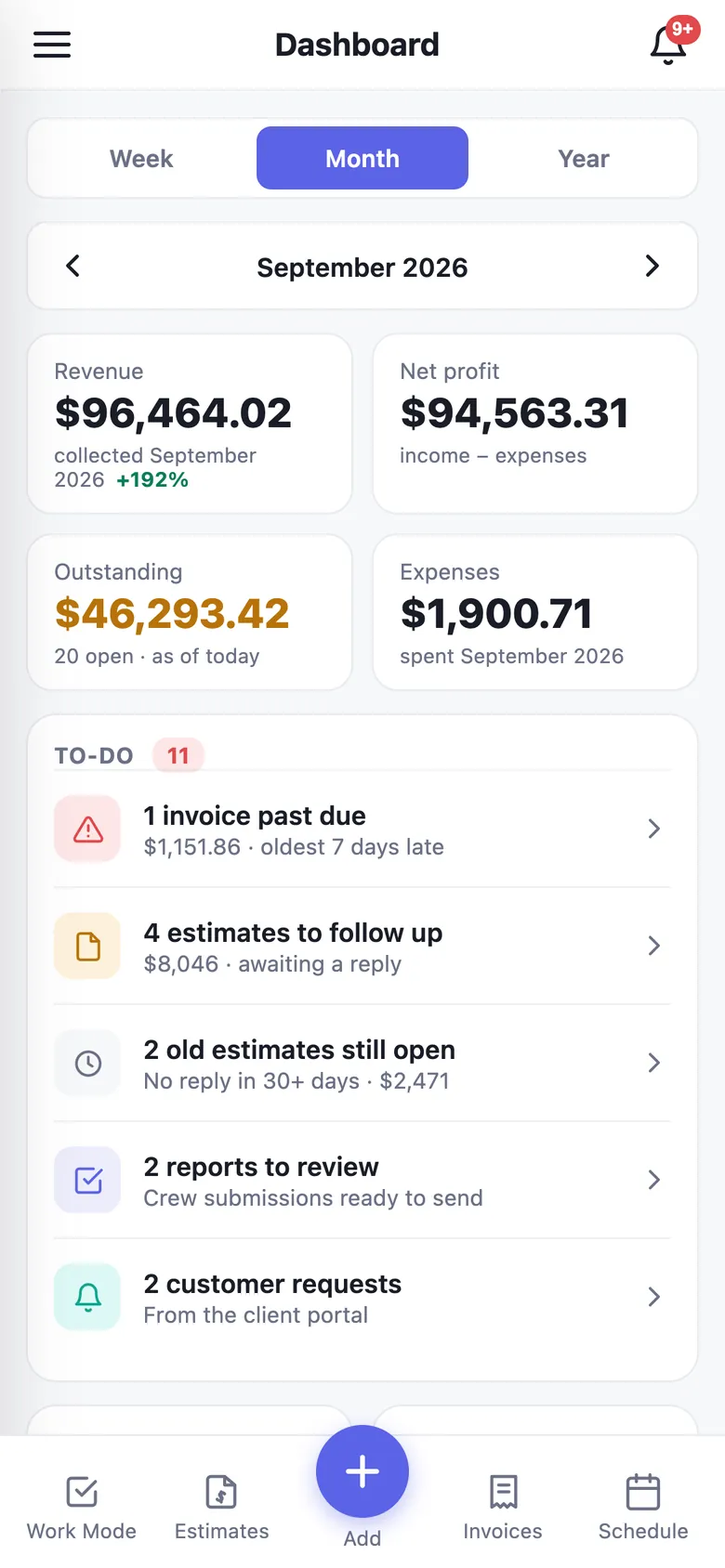
A dashboard that tells you how the business is doing and what needs you today.

Analytics dashboard PRORevenue, profit, collected and work done by week, month or year.
To-do listPast-due invoices, quotes to follow up, reports to review, missing map pins.
Lead sources & close rateWhere customers come from and how many quotes you win.
ExpensesLog costs by category and see net profit in real time.
Notification centerAlerts and activity in one feed, with push to your phone.
Data exportCustomers, invoices and timecards to CSV any time.
usefleetpro.app
Dashboard
Dashboard on iPhone
Booking & rentals STARTER

Take bookings while you sleep.

For trailer rental and detailing businesses: a booking page on your own website, with deposits collected online.

Booking link & embedShare a link or paste one line of code into your website.
Size-based packagesSedan, SUV and truck pricing with add-on upsells.
Trailer inventoryDaily, weekly and monthly rates, blocked dates and add-ons.
Online depositsCollected at booking, refunded or withheld at return.
Pickup & return inspectionsCustomers photograph and sign before they tow.
Late fees & counter checksYour late-fee rule, applied at check-in.
Summit Pro DetailingMobile detailing · Metro Atlanta
Book a detail. We come to you.
SedanSUVTruck
Full Detail3.5 hrs · inside & out
$249
Exterior Detail1.5 hrs
$109
Book appointment · Tue 8:30 AM
Platform

Solid foundations.

The boring-but-important stuff, handled.

Native iPhone app

Live on the App Store, with push notifications, camera scanning and camera-roll photo backup.

Works in any browser

Android phones, tablets and desktops run the full app — one account everywhere.

Shaped to your industry

Pick your business type and FleetPRO loads the right menus, price book and tags.

Database-level isolation

Row-level security keeps every business's data sealed off from every other.

Two-step verification

Authenticator-app 2FA, strong passwords and private, signed photo links.

Backups you never think about

Every photo is copied to a write-only archive the moment it's saved.

See it with your own crew.

The Free plan includes Work Mode, reports, estimates, invoices and payments. No card, no time limit.

Start freeGet the app